
 Profile
 Dashboard
 Logout
Table of contents
Key takeaways
- Photographers and creative studios sell something invisible until delivery.
- A video bubble turns a portfolio site from a silent gallery into a conversation starter.
- Start with the homepage, then move to the pages where visitors actually make decisions.
Why do Photographers and Creative Studios websites struggle with trust?
Photographers and creative studios sell something invisible until delivery. A couple booking a wedding photographer or a brand hiring a design studio is paying for a promise, not a product they can return. That uncertainty makes visitors pause.
Most studio sites look beautiful and don’t say much.
Portfolio grids dominate the homepage. Pricing hides behind contact forms, turnaround times are vague, and the person behind the camera never appears. Nielsen Norman Group has written for years that users dislike hidden prices on service websites. Visitors often leave for competitors who publish basic numbers upfront. When a creative site forces every inquiry through a form before revealing basic details, it reads as evasive. That kills trust before a conversation starts.
Social proof is often thin too.
A handful of testimonials without dates or client names carries less weight than studios assume. Visitors want to know who hired you last month, what the process looked like, and whether you answer emails quickly. Silence lets the imagination fill the gaps. And the imagination usually picks the worst scenario.
Another problem is the portfolio paradox.
Showing only finished work makes the output look effortless, which actually intimidates potential clients. They start wondering if their budget or brief is good enough. The site accidentally signals exclusivity when it should signal approachability. A nervous client needs to see the human behind the work, not just the final retouched image.
Mobile browsing amplifies all of this.
Creative sites tend to be heavy with images, and slow load times on phones make visitors bail before they ever see the trust signals that do exist. That costs more than most owners realize.
Trust isn’t about having the best images. It’s about answering the questions a nervous buyer is already asking.
How do video widgets work for Photographers and Creative Studios?
A video bubble turns a portfolio site from a silent gallery into a conversation starter. Visitors land on a photographer’s homepage, see a small video thumbnail in the corner, and click to hear the person behind the camera explain their approach. That click is the difference between a bounce and a booking.

A greeting can introduce the photographer or studio before a visitor enquires. The available evidence does not substantiate an enquiry-uplift range for this use case.
Most photographers make the mistake of using their homepage video as a reel. Reels are fine lower on the page. But a 20 second greeting that says hello and explains what the studio specializes in usually works better than a montage of past shoots. Clients hire people, not montages.
This is where studios lose leads.
Which CTA patterns actually convert?
The right next step depends on where the visitor is in the decision process. For a new visitor on the homepage, a simple booking link or contact form inside the widget works better than pushing a pricing PDF. They’re still deciding if the style fits.
Another pattern that works is the portfolio CTA. After the greeting, offer a button that jumps to a specific gallery, like weddings or brand shoots. This keeps the visitor moving instead of bouncing back to Google. Browse use case pages to see how other studios structure these flows.
For portfolio pages, the video bubble should change its message. A visitor who has clicked into a wedding gallery is further along than a homepage arrival.
Swap the greeting for a short clip about package availability and add a calendar booking button. CompleteGreet lets you show different bubbles on specific URLs. A homepage greeting feels weird on a pricing page.
Setup is straightforward on most creative platforms. CompleteGreet installs on WordPress, Squarespace, and Wix in under five minutes with a script or plugin. The dashboard lets you upload a compressed video, pick corner placement, and set display rules per page without touching code.
One setup quirk to watch: autoplay thumbnails loop silently, so the first frame should show a face looking at the camera, not a blurred background. If the thumbnail looks like a stock photo, visitors assume it’s one and never click.
Where should you place video on a Photographers and Creative Studios website?
Start with the homepage, then move to the pages where visitors actually make decisions.

The homepage and portfolio pages
Homepages are where first impressions form. A video bubble in the lower corner introduces the person behind the camera without blocking the hero image or navigation menu. Set it to desktop only by default. Mobile portfolios need every pixel of screen space for the work itself.
Portfolio pages are where visitors judge your eye. A short video that plays after someone has scrolled through two or three projects can explain your process or what happens during a shoot. They are in evaluation mode. They want context, not just more images.
Pricing and contact pages
Pricing pages are where video pays for itself.
A short pricing-page clip can explain coverage, deliverables and the editing process. Measure whether it answers repeat questions and supports qualified bookings; the available examples do not establish a conversion lift.
The contact page is the final step before an inquiry. A video here should be direct. Tell them what to include in the message field, mention your response time, and set expectations about next steps. If the contact form is short, keep the video under 20 seconds. Visitors who finish the video submit the form more often.
About pages get less traffic than most studios think. If you only have two video slots available, skip the About page and put the second video on your most viewed portfolio category instead.
What results have similar businesses measured?
The available customer examples do not substantiate an average enquiry increase for photographers or creative studios.

Track engagement as context, alongside completed and qualified enquiries. Longer sessions alone do not establish a better result.
Use your own enquiry-to-booking rate and completed bookings to judge the result. The available evidence does not provide a verified photography or studio benchmark.
These are CompleteGreet implementation measurements, not projections.
Variance is wide because context matters. A portfolio page with a greeting bubble performs differently than a pricing page with a behind the scenes clip. Photographers who want clean data should track form submissions and session duration before and after install. Those are the metrics that move first.
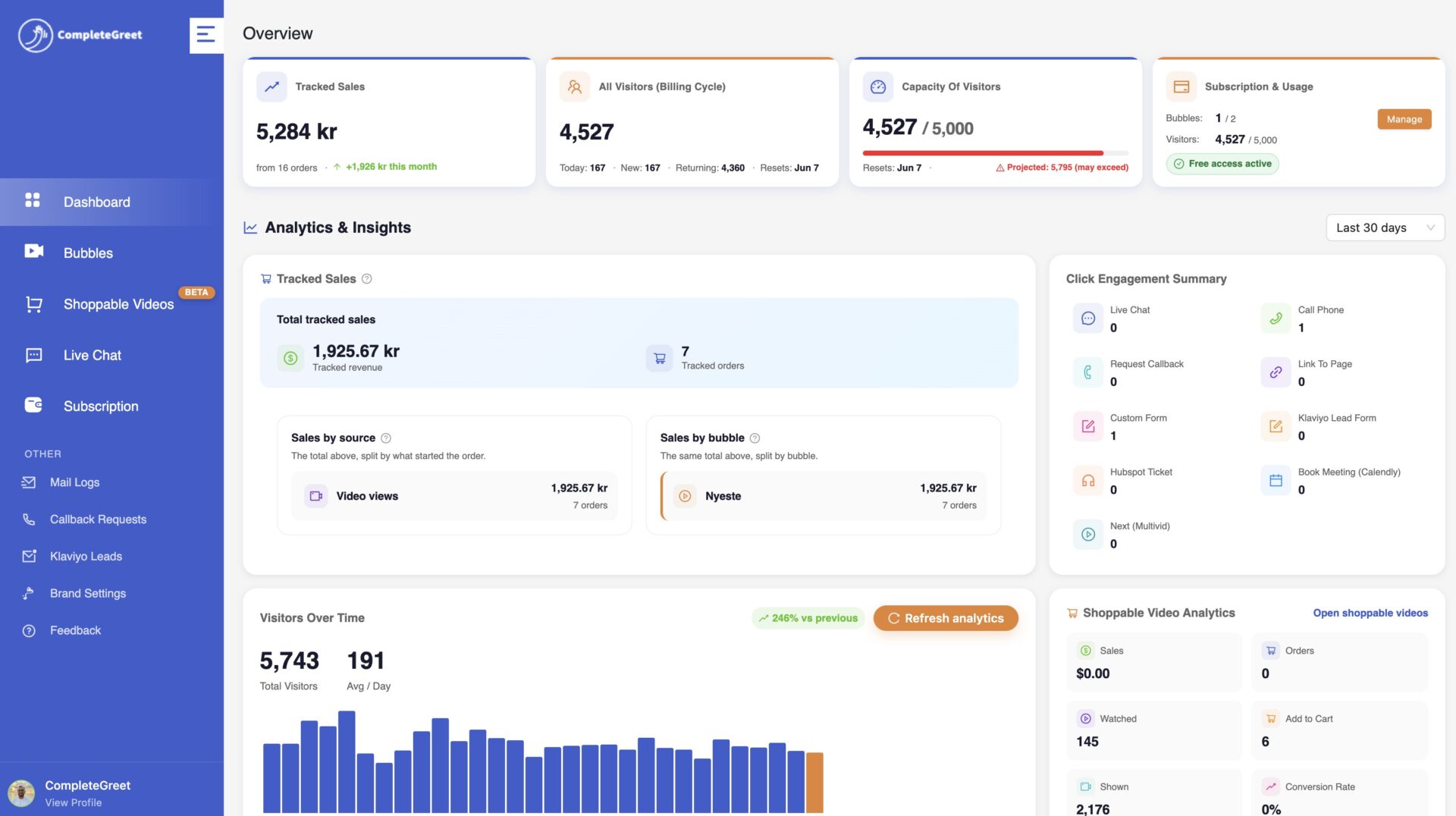
CompleteGreet structures plans around monthly unique visitors, which keeps costs predictable for studios that see seasonal spikes during wedding or holiday seasons. BUILD includes up to 5,000 unique visitors per month, 1 website, and 2 bubbles or videos. It costs $29 per month when billed yearly, or $36 month to month.
To find the point where the tool pays for itself, divide the monthly cost by the average revenue from a single booked session. A portrait photographer charging three hundred dollars per session recovers the yearly BUILD cost after converting just one additional inquiry every seven to eight months. Studios with commercial packages at a higher price point recover the investment faster, often within the first pay period.
The setup sequence matters as much as the pricing logic. Recording a brief greeting in landscape orientation gives a cleaner thumbnail than vertical phone footage. Placing that bubble on the portfolio landing page ensures it meets visitors during the first moments of attention rather than being tucked inside a submenu.
Performance overhead is a common concern for sites heavy with media. Embedding a lightweight script that loads after the main page content keeps the widget from blocking the initial render. Web.dev guidance on Core Web Vitals focuses on loading speed, responsiveness, and visual stability, so the widget should not block the main content or shift the layout.
Compare the contribution to profit from additional completed bookings with the actual subscription and production costs. A single booking does not automatically cover those costs, and an enquiry is not a booked job.
CompleteGreet handles the delivery infrastructure and visitor tracking without forcing the studio into complex integrations. Starting with the BUILD plan at $29 per month and a single bubble on the homepage gives a measurable signal of demand before there’s any need to upgrade.
Common questions
How much does CompleteGreet cost for a photography studio with about 5,000 monthly visitors?
A photography studio with about 5,000 monthly visitors fits on CompleteGreet BUILD, which is $29 per month when billed yearly, or $36 month to month, for 5,000 unique visitors per month, 1 website, and 2 bubbles or videos. That covers most solo photography portfolios. You can show a welcome greeting on the homepage and a separate booking prompt on the pricing page with the 2 video limit.
Will a video bubble slow down a photography site that already has large image galleries?
Async loading helps protect the first page load even on portfolios packed with large images. CompleteGreet loads the video bubble after the rest of the page renders, so gallery load times stay intact. In CompleteGreet implementation checks, the widget footprint is small compared with a single uncompressed hero image.
What should a photographer say in a homepage video greeting?
Keep it under 30 seconds. Introduce yourself by name, mention your specialty like weddings or brand photography, and point visitors to one clear next step such as viewing your portfolio or checking availability. Visitors decide within seconds whether to trust a creative, so a direct greeting beats a generic slideshow.
How fast can a creative studio set up a CompleteGreet video widget?
Most photography sites are active in under 5 minutes. You record or upload a short clip, copy the installation code, and paste it into your site header. CompleteGreet runs on Shopify, WordPress, Wix, Squarespace, Webflow, WooCommerce, and custom HTML or React builds. No developer is needed for standard portfolio platforms.
Have photographers measured more client inquiries after adding a video widget?
There is no verified typical uplift for photography websites in the examples reviewed here. Test a relevant explanation and next step, and report visitor and completed-action counts.
Is CompleteGreet the right tool for collecting detailed client intake forms?
It is built for trust and greetings, not for survey workflows. CompleteGreet excels at booking prompts and portfolio introductions that put a face to the brand. Studios that need forms with multiple steps or conditional logic should pair it with a dedicated form tool rather than forcing a video bubble to do both jobs.
Where should a photographer place a video widget for the best results?
Pricing pages and contact pages often carry the strongest buying intent for photography studios. A greeting on the pricing page reduces sticker shock by explaining what is included in each package. Contact page videos answer the top three questions that stop people from filling out the form, which cuts hesitation before they ever hit send.
Does CompleteGreet work with WordPress photography themes?
Any WordPress photography theme works with CompleteGreet as long as it allows a custom header script. You paste the installation code into the theme header or use a plugin like Insert Headers and Footers. It also runs on Squarespace, Wix, Webflow, and Shopify, so photographers rarely face platform lock in when they switch site builders.



