
 Profile
 Dashboard
 Logout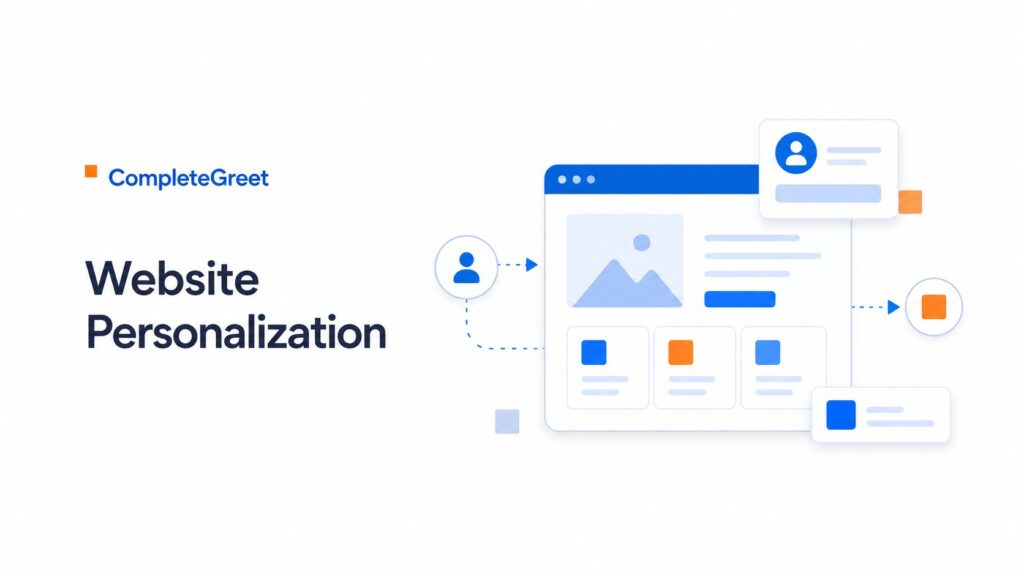
Table of contents
Key takeaways
- Personalize a page or greeting only where it helps answer a relevant visitor question and your setup supports the targeting. Measure the completed action.
- Personalization directly impacts revenue because generic websites treat every visitor the same and convert almost no one.
- Start with a 20 second clip filmed on your phone.
What does the data show about website personalization how to show the right content to each visitor?
Page or audience context can guide a greeting’s message. The available customer examples do not establish an average enquiry uplift from adapting video to visitor behavior or source.
Test a relevant message against the existing greeting with a comparable audience. The available evidence does not substantiate different uplift figures for generic and context-aware video.
Record the visitor’s entry context and completed action where your analytics permits it. Longer sessions do not establish that a tailored message caused a better outcome.
Personalization also moves the needle further down the funnel.
The available examples do not substantiate a checkout or booking result from personalized greetings. Treat message relevance as a testable idea rather than a proven conversion mechanism.
Why does website personalization how to show the right content to each visitor matter for your bottom line?
Personalization directly impacts revenue because generic websites treat every visitor the same and convert almost no one. When you match content to visitor intent, you stop wasting ad spend on traffic that bounces immediately.
See customer website examples for implementations. They do not establish a measured personalization uplift or explain how a particular increase was achieved.
Fifty, three percent is not a marginal gain.
Assess qualified leads, completed customers and costs separately. More time on site is not enough to show that personalization makes a marketing budget profitable.
Longer sessions correlate with higher purchase intent, but the real value is trust. A visitor who sticks around has decided your site might actually solve their problem.
The available customer examples do not establish a controlled returning-visitor test or a booking increase from replacing a generic contact page.
For a hypothetical example, a purchase-conversion change from 2% to 2.5% produces 25% more orders at unchanged traffic. Revenue would rise proportionally only if average order value also stayed constant. These are assumed rates, not a personalization forecast.
Personalization also cuts wasted support time. Visitors who see relevant content upfront ask fewer pre, sale questions. They arrive at sales calls already qualified.
Your competitors are still blasting the same message to everyone. That creates an opening.
How to set up your first video greeting in under 5 minutes
Start with a 20 second clip filmed on your phone. Vertical orientation works best because the widget bubble is round and vertical video fills the frame without awkward cropping.
Your script matters more than production value.
Say your name, what you do, and one reason someone should reach out. That’s it. Don’t read from a script. Look at the camera lens, not your face on screen. Natural lighting from a window beats ring lights every time.
Keep the file under 5MB. Most teams upload a 50MB raw file and wonder why the widget loads slowly. Compress it first.
Where to place the widget for maximum impact
bottom right corner on desktop. bottom left on mobile so the close button lands where a thumb can actually reach it. If your site has a sticky navigation bar, bump the widget up 80 pixels so it doesn’t overlap.
Set display rules based on page intent. On pricing pages, trigger the greeting after 3 seconds because purchase anxiety peaks there. On blog posts, wait 10 seconds. Never show it immediately on page load. That’s annoying.
Most teams skip the mobile preview. Don’t.
How to measure if it’s actually working
Set up the tracking pixel before you announce anything. Most platforms give you a snippet that fires when someone clicks the widget or submits the form. Install it in your tag manager or paste it directly into the footer code.
Track eligible visitors, widget clicks and completed enquiries. See customer examples for implementation ideas, then measure your own outcome rather than assuming a typical uplift.
Compare against a 4 week baseline. Ignore the first 3 days of data because returning visitors click out of habit and skew your numbers. Look at week 2 through 4 to see the real pattern.
Website personalization shifts static pages into dynamic experiences that respond to visitor behavior, location, or referral source. The approach relies on triggers that swap content, load specific video greetings, or adjust messaging in real time.
Implementation ranges from simple rule based swaps to behavior driven segmentation, with video personalization offering one of the highest, engagement formats available.
Personalization logic follows a basic formula: identify the visitor segment, match the segment to a content variant, then deliver that variant without delaying the page load. Google Web Vitals guidance establishes that speed thresholds directly impact engagement rates, making fast delivery critical.
Video greetings add a layer of human recognition that static text cannot replicate.
Setup requires three components: a trigger condition, a content asset, and a placement rule. Triggers might include UTM parameters, browsing history, or time on site. The content asset is typically a 15 to 30 second video recorded in portrait orientation for mobile compatibility.
Testing validates whether the personalized variant outperforms the default. Run variants for at least 100 unique visitors per segment before drawing conclusions about which version drives more inquiries or longer session duration.
Test a relevant message against the current experience using equivalent visitors. The available examples do not establish that matching context improves every engagement and conversion measure.
Start with one segment and one variant rather than building complex rule sets from launch. CompleteGreet handles the technical delivery once the video asset and trigger conditions are defined, allowing deployment within a single afternoon.
Common questions
How much does CompleteGreet cost per month?
CompleteGreet starts at $29/month when billed yearly for up to 5,000 unique visitors with no overage fees. The Growth starts at $59/month when billed yearly for 10,000 visitors, and the Expand starts at $99/month when billed yearly for 30,000 visitors. Annual billing cuts 20% off any plan. Unlike per minute billing models, the price stays flat no matter how many times visitors replay your greeting.
How long does it take to set up a video greeting on a website?
Most sites go live in under 5 minutes. Record or upload your video, copy the embed code, and paste it into your site header. Shopify stores can install directly from the app store without touching code. WordPress users drop the code into a header script plugin. The widget appears immediately after saving.
What website platforms does CompleteGreet support?
CompleteGreet works on Shopify, WordPress, Wix, Squarespace, Webflow, WooCommerce, and any custom HTML site. React and Vue builds accept the embed script without issues. The same code snippet runs everywhere. No platform specific apps or plugins are required beyond the initial installation step.
Where should I place a video greeting for the best conversion results?
Pricing and contact pages can be useful places to answer a decision-making question. The available evidence does not establish that they get the strongest lift or a particular booking result.
What should I say in a website greeting video?
State your name, your role, and exactly what you want the visitor to do next. Keep it under 30 seconds. Mention one specific pain point you solve. End with a clear call to action like “book a call” or “browse our pricing.” Authentic beats polished. Visitors respond to real faces, not scripted sales pitches.
How do you measure if a video greeting is actually working?
Track completed enquiries or purchases per eligible visitor, with time on site as context. Combine widget interactions with your website analytics and use an equivalent comparison group where possible.
Will adding a video widget slow down my website?
Async loading keeps page speed scores clean. The script loads after your main content renders. Most sites see no measurable speed impact. The video file streams on demand, not on page load. Heavy video files can hurt mobile performance, so keep greetings under 10MB and use compression.



