Profile
 Dashboard
 Logout
Table of contents
Key takeaways
- Across six live implementations, adding an autoplaying video bubble increased inquiry volume between 43 percent and 70 percent, averaging roughly 53 percent.
- Autoplay video directly alters whether visitors bounce immediately or stick around long enough to complete a transaction.
- Setting up an effective video greeting comes down to recording thirty seconds of clear guidance, pasting a single embed snippet, and picking an unobtrusive corner of your site.
What does the data show about autoplay video on websites when it helps and when it hurts?
Across six live implementations, adding an autoplaying video bubble increased inquiry volume between 43 percent and 70 percent, averaging roughly 53 percent. Site engagement jumped too. Visitors stayed on site between 19 percent and 33 percent longer, and one local business saw a 42 percent increase in appointment bookings within three weeks of launch.
Those gains only happen when autoplay follows strict technical boundaries.
Modern browsers like Chrome, Safari, and Firefox block unmuted media automatically. If a page forces audio on load, browsers mute the track or refuse playback entirely, while users scramble to find the tab and close it immediately. When audio blasts unprompted, bounce rates spike, and trust drops before a visitor reads a single headline.
Where video playback creates friction
Full screen video backgrounds sound modern during design reviews, but they frequently hurt conversion metrics. Large video files push Largest Contentful Paint past acceptable thresholds on mobile networks, and mobile browsers often replace heavy background loops with blank fallbacks. Replacing your primary value proposition with a three megabyte video loop creates unnecessary friction.
Muted corner bubbles solve this problem cleanly.
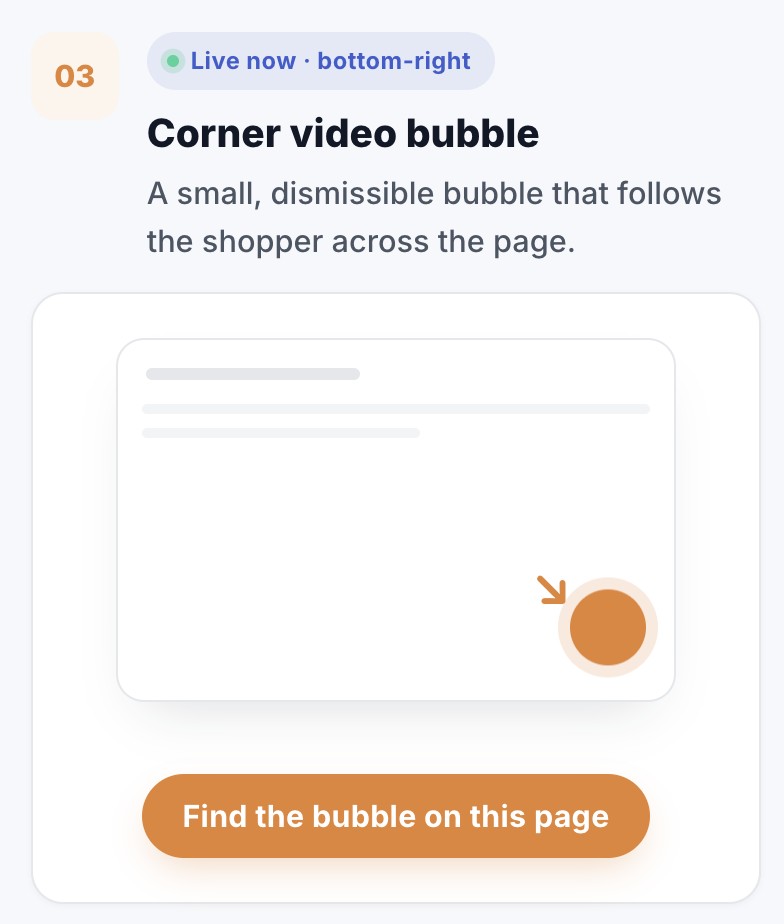
By keeping the video muted, lightweight, and confined to a corner bubble, browsers allow immediate silent autoplay without penalizing site speed. Visitors see movement, recognize an authentic message, and choose when to unmute audio or tap open the full player. That user controlled interaction turns passive browsing into direct engagement without disrupting the shopping flow.
Why does autoplay video on websites when it helps and when it hurts matter for your bottom line?
Autoplay video directly alters whether visitors bounce immediately or stick around long enough to complete a transaction. Blasting unrequested audio sends prospective buyers scrambling for the back button, wasting paid ad spend and spiking bounce metrics within seconds.
When deployed as a silent preview in a compact corner bubble, motion catches the peripheral vision without hijacking the browsing experience. That visual prompt invites shoppers to tap for sound only when they are interested. You get the engagement of video without punishing visitors who browse in quiet offices or on crowded trains.
Silent motion respects the user.
The financial impact of that distinction shows up clearly in transaction volume. One local business measured a 42 percent booking increase after switching from static landing page banners to a muted corner bubble that opened a scheduling calendar. Another live implementation recorded a 17 percent conversion rate lift across its checkout funnel, proving that qualified buyers respond when you offer relevant context rather than forced noise. You can inspect similar performance patterns andread case studiesdetailing how real brands handle engagement.
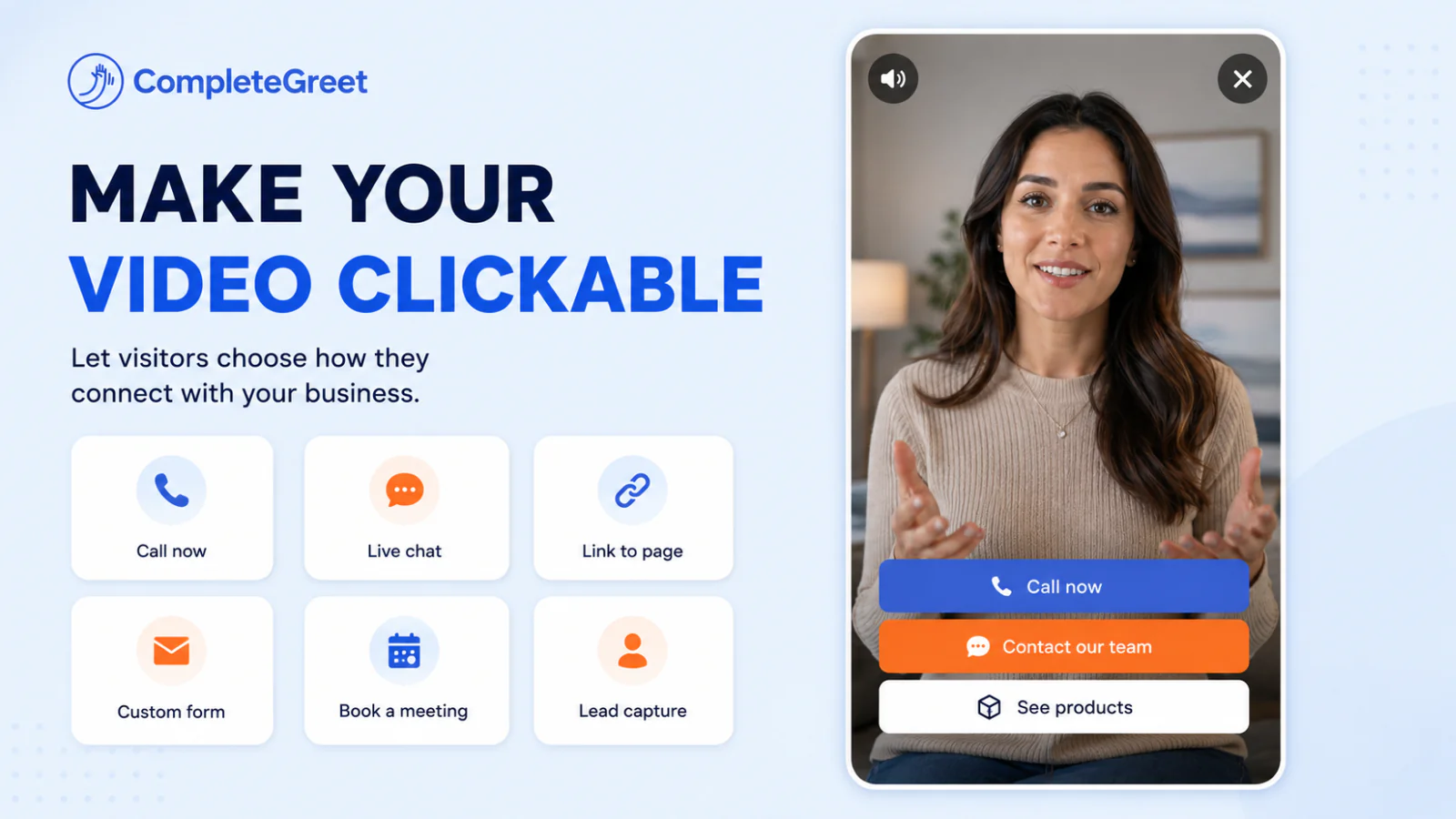
Matching video actions to visitor intent
Adding direct response buttons inside an expanding video player keeps potential customers moving toward a sale without forcing them to hunt through your main site navigation. When a visitor unmutes a greeting, they signal high interest, making that exact moment ideal for presenting a booking link, a product shortcut, or a direct chat prompt.
Modern desktop and mobile browsers enforce strict autoplay policies, blocking unmuted playback by default while permitting muted video tracks. Respecting those browser standards protects your site from broken media states and ensures your marketing assets load smoothly on every screen.
How to set up your first video greeting in under 5 minutes
Setting up an effective video greeting comes down to recording thirty seconds of clear guidance, pasting a single embed snippet, and picking an unobtrusive corner of your site.
Keep it simple.
Overthinking production value stalls most projects before they ever reach visitors. A smartphone camera propped at eye level in front of a window delivers crisp lighting and natural audio without requiring studio equipment.
Natural daylight beats expensive ring lights every time.
What to say in your recording
Write down three short talking points instead of a full script. State who you are, clarify what visitors should look at first on the page, and tell them exactly how to take the next step. Keep the total video length under thirty seconds so visitors never feel trapped waiting for a point. Adding a clear call to action button over the playback window lets prospects contact sales or schedule a demo directly from the greeting.
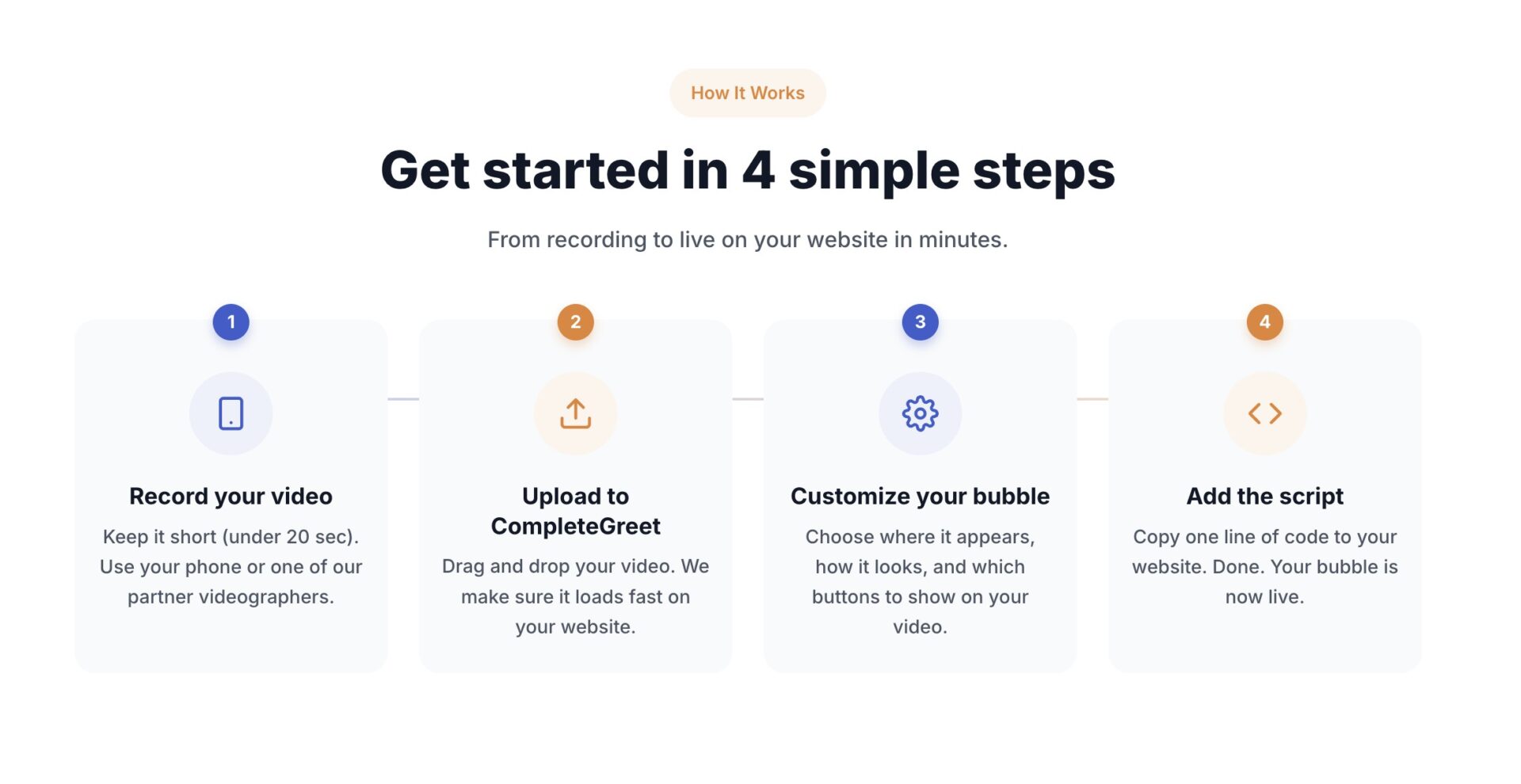
Where to place the widget on your site
Drop the video bubble into the bottom right corner of desktop screens, offset by roughly twenty pixels from the edge. That location matches standard chat expectations while staying out of the way of primary navigation links.
According toNielsen Norman Group researchon website usability, sticky elements that block key interactive controls frustrate visitors and cause immediate site abandonment. Set your mobile offset to clear sticky footer bars, and verify that the dismiss icon sits well within easy thumb reach.
High intent pages like pricing, consultation booking forms, and service overviews generate the fastest returns. Dropping a video greeting onto a generic blog post rarely moves the needle because visitors are browsing rather than evaluating a purchase. Start with the page where prospective clients usually hesitate.
How to track your results
Measuring impact requires watching two primary numbers: interaction rate and downstream goal completion. Interaction rate reveals what percentage of visitors actually click to unmute or expand the bubble, which typically settles around five to twelve percent on active landing pages. If that number falls below three percent, swap the silent preview loop for an action shot or a friendly wave.
Connect the widget events to Google Analytics or your CRM to track whether viewers submit contact forms at higher rates than non viewers. Across live implementations, inquiry volume increased between 43% and 70% once visitors had a clear way to put a face to the business. Track performance for fourteen days before touching the video file or adjusting targeting rules.
Modern web browsers enforce strict boundaries on how media files start when a page loads. Measuring visitor interaction patterns reveals exactly where automated playback supports engagement versus where it causes immediate site abandonment.
The split between success and bounce spikes depends on audio states, screen coverage, and user controls. Examining the baseline technical standards helps clarify what browsers permit before a visitor interacts with the screen.
Technical criteria for automated media playback
Browsers permit silent playback across desktop and mobile devices provided the muted attribute is explicitly defined in the HTML tag. When audio isn’t muted on load, Chrome and Safari immediately halt playback unless a user has previously established high engagement scores on that domain.
Unrestricted background sound remains the leading cause of instant page exits across commercial websites.
Cumulative layout shifts and bandwidth consumption also climb when unoptimized media buffers outside fixed dimension containers. Following theGoogle Web Vitals guidanceprevents layout instability by reserving video aspect ratios before the stream starts buffering.
Corner video bubbles perform reliably because they keep playback muted until a visitor clicks to unmute the stream. This small footprint lets site owners deliver a personal greeting while preserving page performance and search rankings.
Tracking playback retention shows that visitors drop off steeply after the first four seconds if captions are missing. Adding closed captions to your video widget keeps ninety percent of mobile visitors watching past the opening sentence.
Common questions
Why do browsers block video from autoplaying with sound?
Modern browsers block unmuted autoplay to protect visitors from sudden loud audio. Chrome, Safari, and Firefox permit automatic playback only when video is muted. Sound can only play once a visitor taps or clicks the screen. This policy keeps bounce rates down because unexpected sound makes visitors leave immediately.
Does autoplay video hurt website loading speed and performance scores?
Full screen background autoplay videos often degrade page speed scores by loading heavy media assets during the initial page render. In contrast, lightweight corner video widgets load asynchronously without delaying primary page content. In tests across live implementations, asynchronous video scripts let the browser finish displaying text and images before loading video elements. Keeping compressed video clips under two megabytes ensures fast load times on mobile networks and prevents layout shifts that hurt search rankings.
How does CompleteGreet pricing work for sites using video greetings?
CompleteGreet BUILD is $29 per month when billed yearly, or $36 month to month, for 5,000 unique visitors per month, 1 website, and 2 bubbles or videos. Billing relies entirely on monthly unique visitors rather than total video views or streaming minutes. That flat rate structure gives you predictable costs, so traffic spikes or repeat viewings never create unexpected overage charges on your invoice.
What conversion results can businesses expect from muted autoplay video bubbles?
Across six live implementations, inquiry volume increased between 43 percent and 70 percent, averaging roughly 53 percent growth. Time on site climbed between 19 percent and 33 percent. One local business measured a 42 percent booking increase after adding a short welcome video. Muted video motion attracts the eye without triggering the frustration that noisy autoplay creates.
Can CompleteGreet run branching surveys or interactive quiz funnels?
CompleteGreet does not support branched survey paths or multi step interactive quizzes. The software specializes in quick video greetings, direct contact buttons, and simple call to action prompts. If your business needs deep questionnaire branching or scored assessments, pair the greeting with a dedicated form tool. Keeping the feature set lean ensures the widget stays simple and loads quickly.
How long does it take to install a video bubble widget on a website?
Setting up a video widget takes under five minutes across Shopify, WordPress, Squarespace, Wix, Webflow, and custom HTML sites. You simply paste one code snippet into the header of your website or through Google Tag Manager. No custom development or coding skill is required. Once you publish the tag, your recorded greeting appears immediately on the URLs you selected.