 Profile
 Dashboard
 Logout
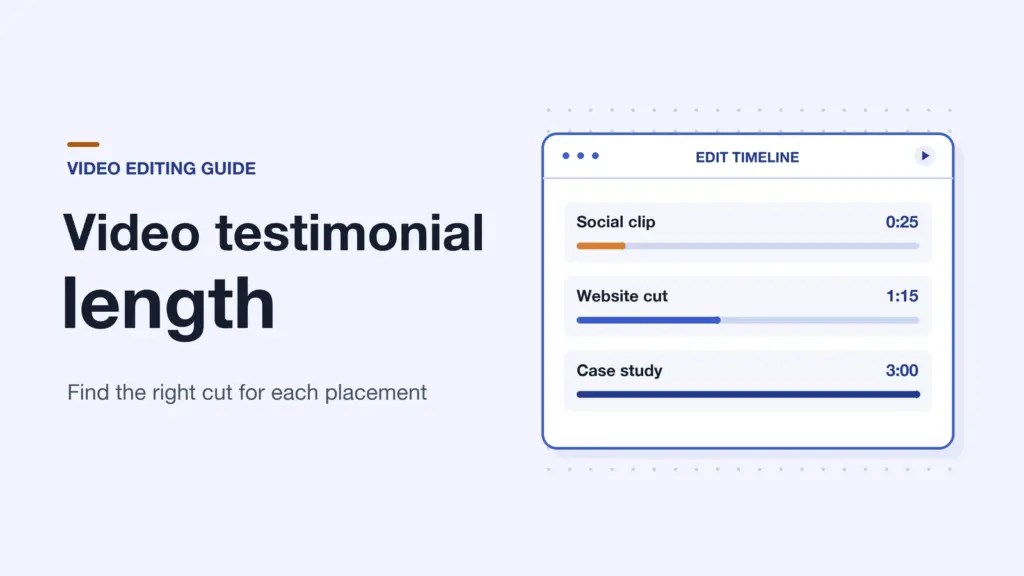
Aim for 60 to 90 seconds for a video testimonial on your website. That’s usually enough time for a customer to explain what was hard, what they tried, and what changed. Start with a 15 to 30 second excerpt for a social ad, or give a detailed case study 2 to 4 minutes if the viewer needs more context.
Those are editing targets. If the customer tells the whole story in 48 seconds, you can stop there.
What is the ideal video testimonial length?
Start with where someone will see it and what they need to know. A visitor comparing software on a product page may want to hear how it fits into a workday. Someone scrolling past an ad needs a specific reason to stop.
| Where it appears | Starting length | What to keep |
|---|---|---|
| Social ad | 15 to 30 seconds | One concrete change and just enough setup to understand it |
| Product or landing page | 60 to 90 seconds | Who the customer is, what they struggled with, and what changed |
| Case study page | 2 to 4 minutes | The decision, the change they made, and enough detail to judge the result |
Give a story more time if the result is likely to raise a question. If a customer says their team answered requests faster, a buyer may want to know who handled those requests before and what the team changed. Keep those details in the case study. If the extra time goes to a company introduction, start later in the interview.
What makes a testimonial worth watching?
Open with a detail the viewer can picture. Say a shop manager starts with, “I used to open three spreadsheets to see whether an order had shipped.” That tells you more about the customer’s situation than “We needed to improve our workflow.” You can put their name and role on screen while they talk.
Next, keep a line that explains what the customer changed. If the manager now sees the order status in one place, a quick shot of that screen can make the answer easier to follow. Use approved footage and hide private order details. Let the customer explain what that change meant on a busy day.
If the customer gives a number, ask what it measures and over what period. Keep that context in the edit. If they never tracked it, use a specific example of what got easier. Our video testimonial examples show how a detail like that can make a story easier to believe.
For a 75 second edit, a rough cut might give 10 seconds to the person and their role, 15 to the problem, 25 to what they did, and 25 to the result. Move those seconds around if the customer’s strongest line needs room. A short pause after that line is fine.
How should you edit a testimonial for each channel?
Build the website version first. Mark the sentences that explain the problem, the change, and the outcome. Put them in order and watch the rough cut without music. You’ll hear when two answers make the same point or when a jump makes it hard to tell which part of the story you’re in.
For a short ad, start with one moment that can stand on its own. “It made that easier” is hard to use because the viewer hasn’t heard the question. Try a longer line that names the task, or get a fresh answer from the customer. Check the placement’s current length and aspect ratio before exporting. A close crop that works on a phone can cut off a useful screen recording if you reuse it without checking.
Use footage of the actual task where it helps, such as a close-up of the tool or the customer at work. When the customer is describing what the change meant to them, give them the screen. That’s often the part people want to hear directly from the person who lived it.
Watch each version on a phone with the sound off. Fix captions that cover names, run off the edge, or disappear before you can read them. Listen again with the picture out of view to catch a word the music drowns out or a cut that interrupts a sentence.
How can you plan and check your final video?
Before recording, write one sentence about what the viewer should learn. For example: “I want someone comparing tools to hear how this shop handles order questions now.” That sentence makes it easier to choose what to keep when you have several good answers.
Ask for one answer at a time and leave a pause between takes. If the first answer is broad, ask what happened on a particular day. A question like “Can you walk me through the last time someone asked where their order was?” gives the customer something concrete to talk about. You can use these video testimonial questions to prepare a short interview.
Show the cut to someone who hasn’t seen the interview. Ask what changed for the customer. If they can repeat the outcome but don’t know why it mattered, restore the piece of setup they missed. Then send the exact cut, including captions, to the customer for approval before you publish it.
Frequently asked questions
Is 30 seconds enough for a video testimonial?
Yes, if the clip has one job. A 30 second video can show what changed for one customer. Use a longer cut if the viewer also needs to understand the decision or how the customer put the product to work.
How long should I record for a 60 to 90 second testimonial?
Set aside 15 to 20 minutes for a short interview as a starting point. That gives you time to ask follow-up questions and get another take if you need one. Stop once you have a complete story and a clean version of the strongest answer.
What should I cut first if the video runs long?
Start with repeated comments, an introduction you can replace with a name and role on screen, and details the viewer doesn’t need. Keep any words that qualify a claim, such as “during our busiest week.”
Does the running time include the title card and logo?
Yes. Count everything between the first and last frame. If the opening card delays the customer’s first line, try putting their name on screen while they speak.