
 Profile
 Dashboard
 Logout
Table of contents
Key takeaways
- Product video cuts refund rates by showing customers exactly what they’re buying before checkout.
- Every refund costs $20 to $30 in processing, shipping, and restocking fees.
- Most teams overthink the production and never ship.
How to Reduce Refund Rates With Better Product Video
Product video can show size, fit and operation before checkout. To find out whether it reduces refunds, track return reasons and refunds for the affected products; enquiry and viewing figures do not answer that question.
Conversion rate and bookings are different outcomes from refunds. The available customer examples do not establish a refund reduction.
That jump happens because video answers questions that static photos leave open.
Most returns stem from a mismatch between expectation and reality. A product video that shows true color under neutral lighting, actual size next to a common object, and real texture up close eliminates the guesswork that drives refunds. One store cut returns by a third. They simply added a 30 second clip to each product page.
Lighting matters more than camera quality. A smartphone under a bright window beats an expensive camera in a dim room.
Place the video above the fold on desktop and within the first screen on mobile. Autoplay should be muted so the visitor chooses to engage. A silent looping clip beside the add to cart button outperforms hidden video that needs a click.
Keep product clips under 60 seconds. Shoppers who want detail will watch, and those who don’t will not feel trapped. End with a clear shot of the product in use rather than a logo screen. That final frame is what they’ll remember when the package arrives.
Why does how to reduce refund rates with better product video matter for your bottom line?
Every refund costs $20 to $30 in processing, shipping, and restocking fees. That figure does not include the loss of the sale itself.
Show the actual product in use, including relevant dimensions and limitations. Compare refund rates and return reasons for the same products; longer viewing and more enquiries do not prove that buyers return fewer items.
Most teams focus on conversion rate alone.
That is a mistake. A refunded sale is worse than no sale at all. You paid for the product, the shipping, the payment processing fee, and the customer acquisition cost, only to get the item back and start over. Those costs add up fast.Baymard Institute researchfound that 58% of users returned at least one item in the past year, and 44% of ecommerce sites fail to display return information on the product page itself. Clear product video does what static images cannot. It shows fabric drape, actual size against a hand, or how a tool operates under real conditions.
For a hypothetical example, assume 1,000 monthly orders at $100 each and that 20% are fully refunded: refunds total $20,000. At $25 handling cost per returned order, handling adds $5,000. If the return rate fell to 14%, refunds would fall by $6,000 and handling costs by $1,500. This assumes unchanged order value and per-return cost. It is not an expected video result, and retained revenue is not net profit.
For a service, explain what is included before the customer commits. Measure cancellations or refunds directly rather than using a booking increase as evidence of better retention.
The cost of a refund compounds beyond the first transaction. A customer who returns once is far less likely to buy again, and negative reviews about misleading product descriptions are permanent. Better product video is not a marketing expense. It is margin protection.
How to set up your first video greeting in under 5 minutes
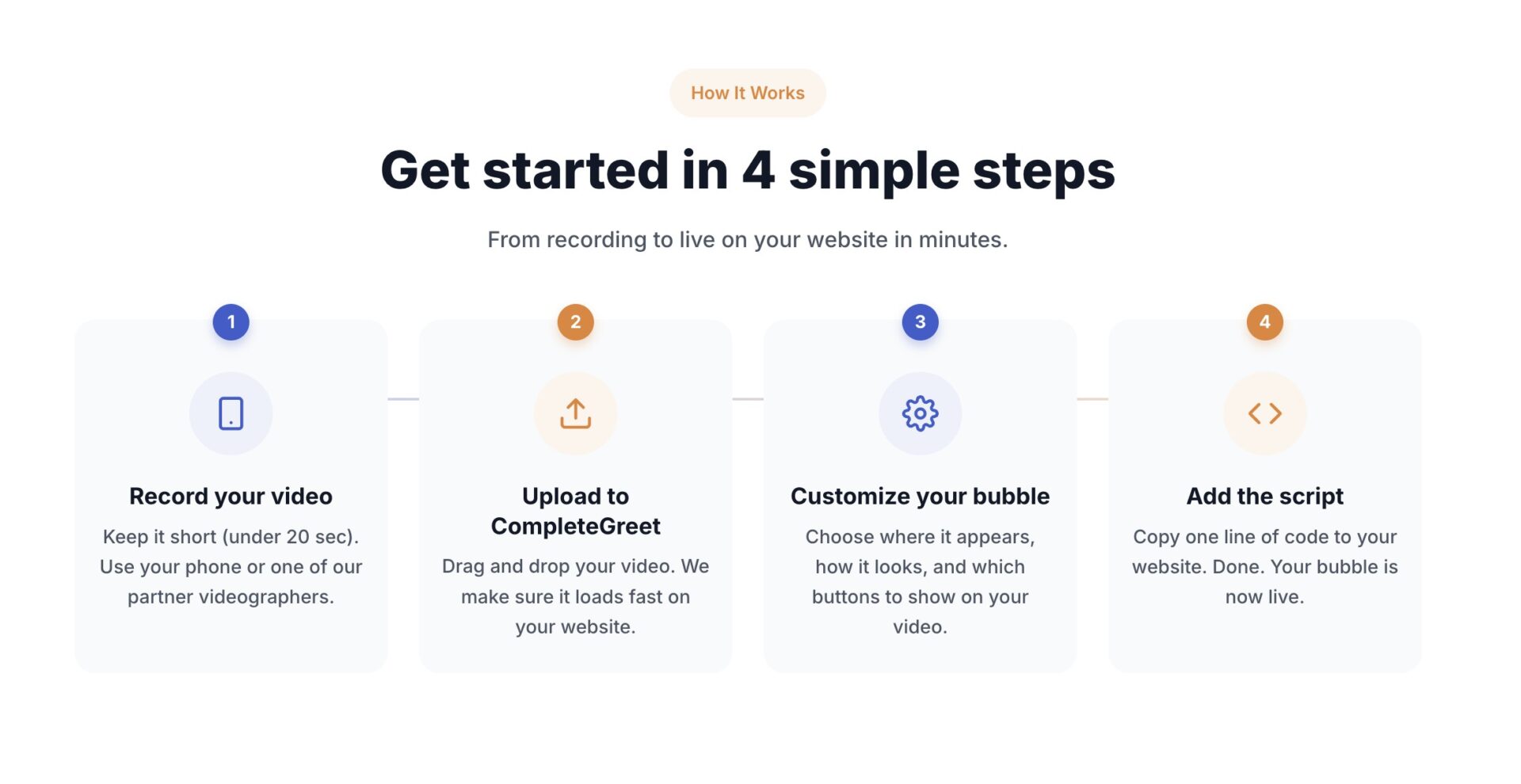
Most teams overthink the production and never ship. You can record a 30 second clip on your phone, upload it to CompleteGreet, and have a live bubble on your site before your coffee gets cold.

Here’s the exact sequence that works.
Record the message
Don’t write a script. Jot down three bullets: who you are, what the product solves, and what the visitor should do next. Look at the camera and speak like you’re explaining it to one customer at a counter. Stop at 25 seconds. Longer greetings see higher drop off before the call to action appears.
If you stumble, leave it in. A small pause beats a slick corporate voiceover every time.
Place it where doubt happens
Choose pages where shoppers need details about fit, compatibility or use. Test the placement and measure returns for those products; the available examples do not establish that checkout placement has the best return.
Set the bubble to appear after 3 seconds on desktop and immediately on mobile. On phones, the bubble should sit in the bottom right corner with a 16 pixel offset so it doesn’t block the cookie banner or chat icon.
Test this on iOS Safari.
Android Chrome is more forgiving, but iOS will expose any overlap instantly.
Measure what matters
Ignore total plays. Track play rate, click through rate on the button inside the widget, and downstream form completions or bookings. In the CompleteGreet dashboard, you can see which pages drive the most engagement. A low play rate means the placement is wrong or the greeting needs work. If visitors watch but never click, the call to action is too weak or comes too late.
Run the experiment for 14 days before you judge it. Two weeks gives you enough traffic to spot a real pattern.
CompleteGreet BUILD is $29 per month when billed yearly. Pay month to month and it is $36. Either way you get 5,000 unique visitors per month, 1 website, and 2 bubbles or videos. You cansee pricingand start a 30 day free trial with no credit card.
Product returns often stem from mismatched expectations rather than product failures. When shoppers receive an item that looks, feels, or functions differently than they’d imagined, the refund process becomes unavoidable.
Video changes this dynamic by showing the product in real world conditions before purchase. The following framework explains how to audit existing video content and calculate its potential impact on return rates.
Refund Reduction Formula
Start by measuring the current refund rate inside a window of thirty days. Multiply that rate by the average order value to find the monthly revenue lost to returns.
Next, assign a clarity score from one to ten based on how well existing product video answers the three questions below. For every full point increase in clarity, assume a conservative five to ten percent reduction in refunds attributable to that SKU.
Product Video Clarity Checklist
Each product video should show the item next to a common object so viewers understand scale without guessing. It should also demonstrate the primary function for at least ten seconds so the shopper knows exactly what the product does.
Include a closeup of material texture and any moving parts. Avoid background music that masks audio explanations, because spoken details about fit, weight, or compatibility reduce uncertainty more than music alone.
Presentation Standards
Lighting should be even and natural so colors appear true to life. A product that looks navy in video but arrives black will generate a return regardless of how many features the clip lists.
Place the video above the fold on mobile and desktop so every visitor sees it without scrolling.
Stores that treat product video as a presale filter rather than a marketing clip see the largest improvement in return rates. The goal is not to make the product look better than it is, but to make it look exactly as it is.
CompleteGreet handles video placement through floating bubbles that appear on product pages without altering site layout. A merchant using the BUILD plan can deploy two videos on one site for 29 dollars per month when billed yearly, which is often less than the cost of a single returned order.
Common questions
What type of product video reduces refund rates most effectively?
A demo can show the item being unboxed, handled and used. Test whether it answers the questions found in return reasons. The available customer examples do not establish that a one-minute demo reduces refunds or raises conversion.
How long should a product video be to prevent returns?
45 to 90 seconds is the sweet spot for most products. Shorter videos leave questions unanswered, which leads to returns. Longer ones lose attention before the key details land. The goal is showing enough to eliminate surprise without exhausting the viewer’s patience.
How much does CompleteGreet cost for product video on my store?
CompleteGreet BUILD is $29 per month when billed yearly, or $36 month to month, for 5,000 unique visitors per month, 1 website, and 2 bubbles or videos. That covers most small stores under 5,000 monthly visitors with no overage fees regardless of how many times shoppers replay the video.
Where should I place product videos to reduce refunds?
Product pages get the most impact, specifically above the fold and again near the add to cart button. Video on checkout pages can also catch last minute hesitation. Avoid burying video at the bottom of the page where only committed scrollers see it.
How fast can I get my first product video live?
Most stores have their first video greeting running in under 5 minutes. Record on a phone, upload, copy the embed code, and paste it into your site header. Shopify, WordPress, Wix, Squarespace, Webflow, and WooCommerce all work with the same snippet.
Can I measure exactly how much video reduces my refund rate?
Yes, but it requires discipline. Track refund rates for 30 days before adding video, then compare the next 30 days. Segment by product to isolate the effect. Most teams see the clearest signal on high return items first, then expand from there.
Do I need professional equipment to make effective product videos?
Good lighting matters more than camera quality. A $30 ring light and a modern smartphone produce clearer results than a $2,000 camera in a dim room. Audio clarity is the second priority. Viewers forgive slight grain if they can see and hear the product clearly.



