Profile
 Dashboard
 Logout
Table of contents
Key takeaways
- Live chat lets visitors ask a question and get a reply during their visit.
- Choose live chat when a prospect needs an answer before deciding and someone can reliably cover the queue during business hours.
- Choose a contact form when a lead can wait for a reply or a useful answer depends on details the visitor can leave in writing.
What is the main difference between Live Chat and Contact Form?
Live chat lets visitors ask a question and get a reply during their visit. A contact form collects a message for someone to answer later.
Chat can resolve a quick objection while a prospect is still browsing. It also requires someone to monitor the queue, route requests, and manage response times. Set an availability message before launch, or the widget may invite questions after the team has signed off.
A contact form collects information asynchronously and can ask for structured details that help qualify an inquiry. It suits visitors who can describe what they need in a few fields and teams that can follow up later.
Test the whole handoff, not just the widget. Send a chat message and confirm it reaches the person or inbox responsible for answering.
Forms need clear, visible labels for each field and text that explains any error. Placeholder text disappears as soon as someone types, so it cannot serve as the only label.
When should you choose Live Chat?
Choose live chat when a prospect needs an answer before deciding and someone can reliably cover the queue during business hours. Coverage matters more than the widget.
It fits service teams handling product questions, appointment inquiries, or objections that can be settled in a short exchange. A live reply can qualify intent quickly.
For a considered purchase, buyers may need to check fit, delivery, or configuration before they commit. A quick answer can clear that hurdle, but only if someone is available to give it.
A chat button without coverage can be more frustrating than a form that sets a clear response expectation.
Before launch, name the person who owns incoming messages, define what counts as urgent, and decide where unanswered conversations go. A clear fallback keeps a lead from sitting in an open tab after a shift ends. Shared guidance also helps agents answer common questions without escalating every message to a specialist.
Set an away message with a response window the team can meet.
When should you choose Contact Form?
Choose a contact form when a lead can wait for a reply or a useful answer depends on details the visitor can leave in writing. No live coverage is needed.
Forms suit businesses that review a request before quoting, route it to the right person, or need specifics such as project scope, location, or preferred appointment time. They also work for small teams that cannot promise a quick chat response throughout the day.
A form captures an inquiry asynchronously and usually takes less staff coordination than live chat. The tradeoff is slower clarification: if the visitor needs an answer on the spot, a long wait may cost the lead.
Keep the form short, but ask for the details needed to respond properly. A required phone number can put off someone who only wants an email reply.
Keep labels visible after typing starts, show a clear error beside the field that needs attention, and make the form usable with a keyboard. A generic error at the top leaves people guessing which field to fix.
How do Live Chat and Contact Form compare on cost and setup?
Live chat usually costs more to run because someone has to monitor it. A contact form can collect inquiries without live coverage. Compare each product’s current price and included features alongside the staff time it needs.
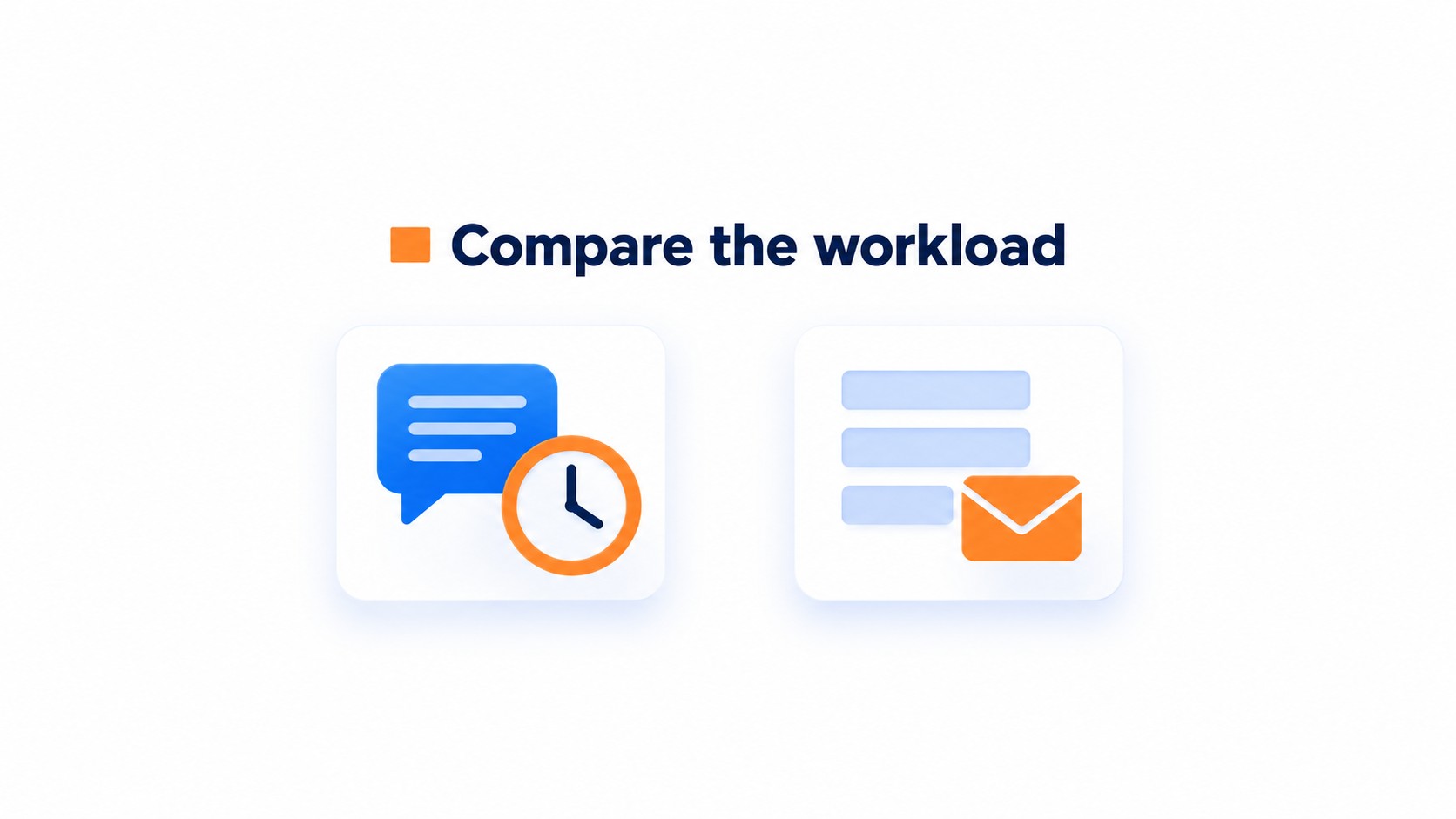
Chat setup involves more than adding a code snippet. Assign someone to the inbox, set routing rules, and decide what happens when a visitor writes outside staffed hours.
Routing is easy to miss. Test chat in a logged out browser and confirm a message reaches the right person.
A widget can appear online even when no agent is assigned. In that case, a visitor may wait without a clear next step.
Forms take less day to day attention, but still need a working destination and useful error messages. Use only fields the team will act on, then send a test entry and confirm it lands in the inbox or customer relationship management system, not just on the page confirmation screen.
Compare qualified leads and time to first response, not only the software bill. The staff hours behind chat can outweigh a low subscription price.
Which one should you choose?
Choose live chat when visitors need answers before buying and someone can respond during business hours. Choose a contact form when questions can wait or require structured details.
Coverage decides it. An unanswered chat bubble can frustrate visitors more than a form that sets a clear expectation.
Forms suit small teams that need to collect details without assigning someone to every inquiry as it arrives. For a lean team, the form usually wins.
Test both on the same pages. Compare qualified leads, booked meetings, time to first response, and eventual revenue; raw inquiry counts can make a channel look stronger than it is.
CompleteGreet adds a video greeting for visitors who need a human explanation or reassurance before contacting the business. You can install it through the Shopify app, the WordPress plugin, or an embed script for other platforms. A greeting does not replace a staffed chat queue.
If chat coverage is patchy, do not make visitors guess when someone will answer. Put the form where they can find it.
Live chat and contact forms capture different kinds of intent, so interaction volume alone cannot show which brings in better leads. Compare lead quality and follow up using the same measures.
Compare outcomes, not just activity
Qualified lead rate = qualified leads ÷ total chat conversations or form submissions × 100.
Use the same landing page, traffic source, and measurement period for both options. Track booked meetings, speed to first response, and eventual revenue alongside qualified lead rate.
Count unanswered chat requests and incomplete form submissions separately. That separates low interest from missed follow up.
CompleteGreet is a useful option to test when a business wants a human introduction without running a live chat queue. Live chat fits teams able to answer promptly; a form suits simple structured requests. Compare results over one full sales cycle and record booked meetings in the same customer relationship management system.
Common questions
Is live chat or a contact form better for generating qualified website leads?
Neither is better for every site; it depends on how quickly the business can answer and what details a lead needs to provide. Live chat can handle questions and qualify visitors in near real time, while a contact form captures information asynchronously. Compare qualified leads and booked meetings, not just the number of chats or form submissions.
How quickly does website live chat need to respond to be useful?
Live chat works best when someone can answer while the visitor is still on the site. Its main advantage is a live exchange that can qualify a lead and address an objection; delayed replies weaken that advantage. Set a response target the team can meet consistently, then track speed to first response alongside qualified leads and booked meetings.
Can a business use live chat and a contact form on the same website?
Yes. Live chat suits visitors who want an answer now, while a contact form gives people a way to leave details when the team is unavailable or when the inquiry needs structured information. Keep the form easy to complete and make the chat staffing plan clear, so visitors are not left waiting for a reply that nobody can send.
How can I test whether live chat or a contact form brings better leads?
Compare both on the same site and judge the leads after submission, not just the initial conversion count. Track qualified lead rate, booked meetings, speed to first response, and eventual revenue. Conversion results vary by industry and setup, so a test using the business’s own traffic is more useful than applying a general conversion claim.
How much does CompleteGreet cost as an addition to chat or a contact form?
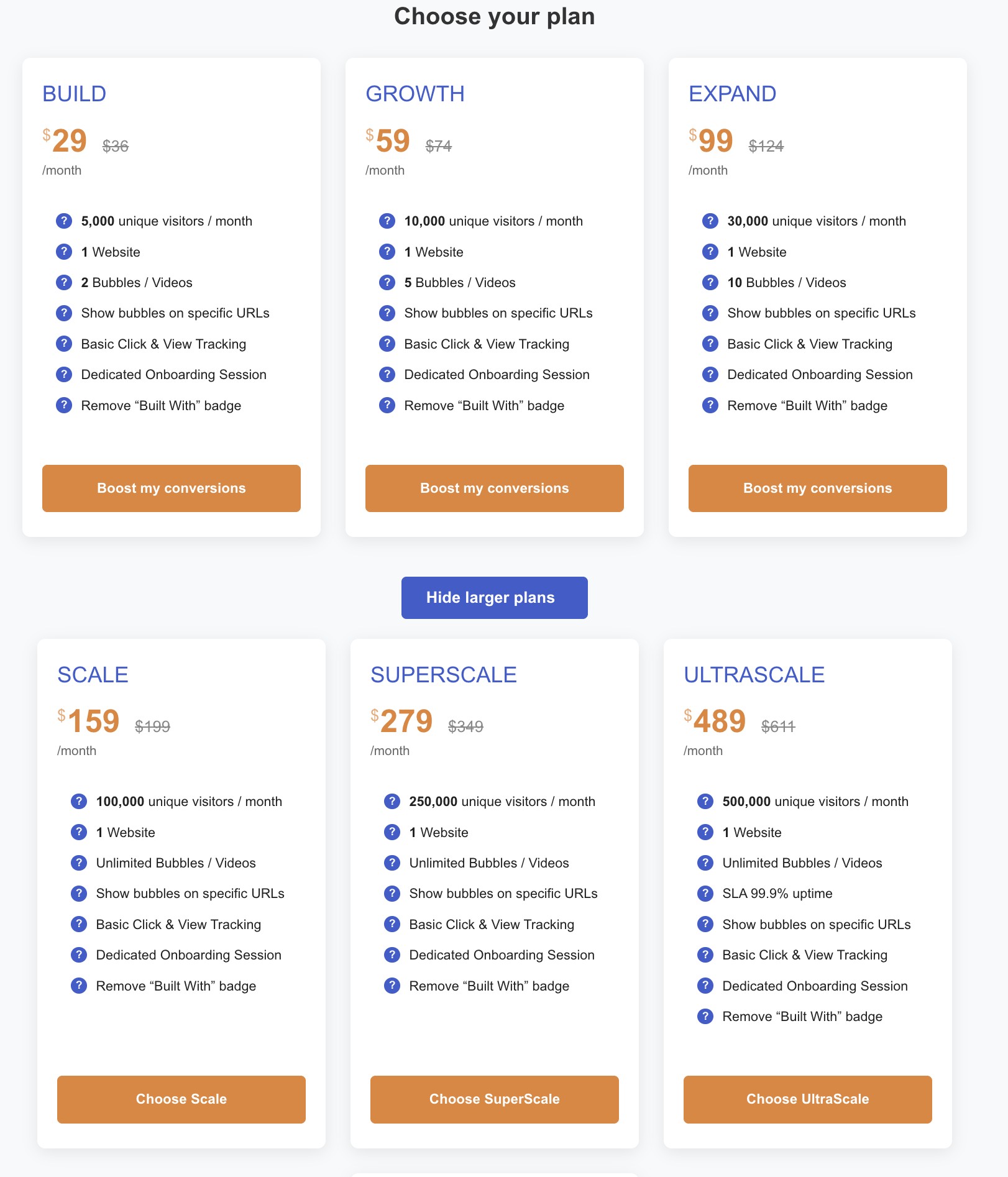
CompleteGreet BUILD is $29 per month when billed yearly, or $36 month to month, for 5,000 unique visitors per month, 1 website, and 2 bubbles or videos. A video greeting can sit beside a contact form for visitors who prefer an introduction before reaching out. It adds another contact path, but does not replace a staffed live chat conversation.