 Profile
 Dashboard
 Logout
Table of contents
Key takeaways
- Personal branding with video on your website is really just this: you record yourself (or your team), and that clip replaces the anonymous copy and stock photos visitors usually see. It lets visitors see who they might speak with before booking a call.
- A clear personal introduction can answer who you are, what you do, and how a visitor can contact you.
- Grab your phone, record a 20 to 30 second greeting today. Keep your face well lit and your voice clear.
So here’s what personal branding with video on your website actually looks like: you embed a short clip of yourself that greets visitors with your real voice, your real face, and your actual personality. No hiding behind walls of text and generic stock photos. Use it to introduce yourself and explain how you can help before a visitor fills out a form or books a call.
A founder speaking on camera gives visitors a way to see and hear the person behind the business. Explain what you can help with, using claims you can support.
CompleteGreet starts at $36 monthly or $29/month billed annually for up to 5,000 visitors and two videos. Visits are counted once per unique IP within 24 hours. A capped paid plan hides the bubble after the limit is exceeded until the next billing period. Use the Shopify app, WordPress/WooCommerce plugin, or an embed for other platforms, then test the installation.
CompleteGreet combines video greetings with live chat, forms, surveys, and choice-based Multivid journeys. You can use a simple introduction or connect it to a contact or booking action. Check the available fields and workflows against your needs.
What is the short answer?
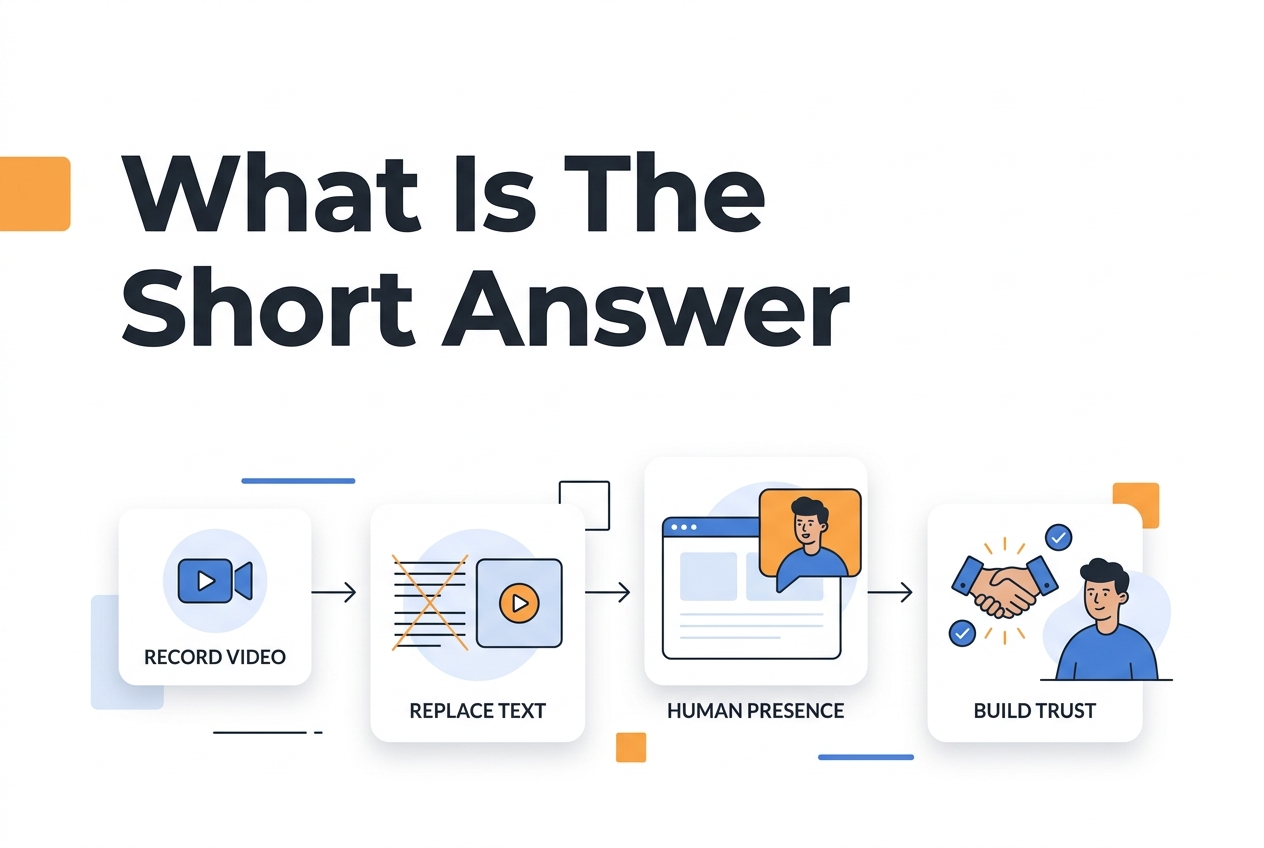
Personal branding with video on your website means you’re using recorded video of yourself or your team to swap out that anonymous copy for actual human presence, and build trust on your website before a sales call ever happens.
This isn’t about vanity. Not even close.
Video gives visitors details a headshot cannot: your voice, expressions, and how you explain your work. Keep useful written information on the page so people can choose how to learn about you.
The format is usually pretty simple. A short clip, somewhere between 15 and 60 seconds, placed right where visitors are making decisions. Homepages, about pages, checkout flows. Choose a placement that answers a question visitors have on that page, and test whether it is useful.
Start with the phone or camera you have. Make a short test recording and check that your face is well lit and your voice is clear before buying equipment.
The real bottleneck? It’s the decision to actually show up.
Most founders and freelancers overthink the script, reshoot twenty times, and end up publishing nothing. Set a realistic recording deadline, then review the video for clarity before publishing. A simple recording is a useful starting point without promising better results than a polished one.
Why does this matter?
Personal branding video gives visitors another way to learn about the person behind a business. It can sit alongside clear copy, qualifications, and contact details, rather than replacing those sources of information.
Use the greeting to explain your role and how you help. Show relevant work or credentials on the page, and let visitors choose whether to watch. Measure the response on your own site rather than assuming video is the fastest route to trust.
Website trust isn’t about looking polished, it’s about looking reachable.
If visitors are unsure who is behind your business, a personal introduction can answer that question. Explain your role and offer a clear contact option alongside the video.
You can measure video opens, time on site, and visits to contact pages separately. To judge business value, also count valid completed enquiries or purchases against eligible visitors in the same period.
Check the technical experience as well as the message.
Check page speed as well as playback. Use Google Web Vitals guidance when measuring the page before and after adding video. Consider asynchronous loading and a lightweight poster image, then test the result on a slow mobile connection.
Review placement along with recording quality. Put the video where its explanation is relevant, make the next step clear, and compare visitor outcomes before claiming one placement or production style works better.
What should you do next?
Grab your phone and record a 20 to 30 second greeting today. Use a quiet space and enough light to show your face clearly.
I know how this goes. Most business owners get stuck planning the “perfect” video. They write scripts, reshoot a dozen times, wait for better equipment. Choose a version that is clear enough to use, check it on the page, and define the result you want to measure before publishing.
Choose placement around the question your video answers. Your video should load above the fold, autoplay muted with sound available on tap, and never block navigation on mobile. Follow the installation route for your platform. Setup and testing time depends on your theme, permissions, and intended placement.
Now, measure what actually counts. Track time on page, scroll depth, and contact form submissions, not vanity metrics like video completion rate. Think about it: a visitor who watches three seconds and then fills out your form? That’s a conversion. That’s a win. A visitor who watches the whole video and bounces? That’s not.
One more practical tip: test your widget on a real phone with a slow connection. A file that loads quickly on office WiFi may load slowly on mobile data. Compare compressed versions for loading speed and audiovisual quality, and check what delivery options your player supports.
Update your greeting every quarter or so. A stale video signals neglect. Even a quick seasonal refresh, something like “Happy spring from the team”, takes ten minutes to record and shows repeat visitors that a real person’s keeping the lights on.
So start now. The gap between you and your competitors isn’t about production budget. It’s about who’s willing to show up on camera before everything feels perfect.
Performance Benchmarks
Establish a baseline for your own site before adding video. Count valid completed enquiries or verified purchases and divide by eligible visitors in the same period. Compare similar visitor groups, preferably in a concurrent controlled test. Report video opens and bounce rate separately. Before/after changes alone do not prove that the video caused an outcome.
Placement and Accessibility Standards
Put your video element in the upper viewport so visitors don’t have to scroll to find it. Check whether asynchronous loading and a lightweight preview keep the page usable, then measure the result. Check captions, keyboard operation, media alternatives, and other applicable criteria against W3C accessibility guidance. Captions and controls alone do not establish conformance.
BUILD costs 2,388 DKK for a year with annual billing. To assess financial ROI, compare incremental profit attributable to the greeting with subscription, production, setup, and ongoing costs for the same period. More views or enquiries alone do not establish payback.
Common questions
How much does CompleteGreet cost per month and are there any hidden fees?
CompleteGreet has flat rate plans with visitor and video limits. All paid plans include all 25 features. Visits are counted once per unique IP within 24 hours, and capped paid plans hide the bubble after the limit is exceeded until the next billing period. Compare capacity and billing terms when choosing a plan.
Can I use CompleteGreet on my Shopify store and WordPress site at the same time?
CompleteGreet supports Shopify, WordPress/WooCommerce, and embeds on other website platforms. A standard plan covers one domain, including subdomains. Enterprise lists multiple websites. Confirm the plan and billing arrangement for separate properties rather than assuming one standard subscription covers them all.
How long does it take to set up CompleteGreet on a website?
Use the Shopify app, WordPress/WooCommerce plugin, or embed code for another platform. Prepare the video, configure placement and actions, then check playback, accessibility, and mobile layout on the actual site. The time needed depends on that installation.
What types of businesses get the best results from CompleteGreet?
A greeting is worth testing where visitors need an introduction or an explanation before contacting a business. CompleteGreet also supports live chat, surveys, step-by-step forms, and choice-based Multivid journeys. Check the available workflows if you need arbitrary conditional rules or scoring. Business type alone does not establish a likely conversion lift.
Does CompleteGreet actually increase conversions or is it just a nice visual?
It may help visitors understand your business, but an increase is not established for your site until you measure it. Define a valid enquiry or purchase, track eligible visitor counts, and compare similar groups. Keep clicks, completed enquiries, and sales separate, and include relevant costs before making an ROI claim.
Do visitors have to click play or does the video start automatically?
Playback depends on configuration and browser policy. Chrome allows muted autoplay, while autoplay with sound depends on conditions such as prior interaction or engagement. Provide a clear play control if autoplay is blocked, and test mobile and desktop behavior on the actual installation.