
 Profile
 Dashboard
 Logout
Table of contents
Key takeaways
- Online stores are fighting uphill from the start, they just don’t have the physical cues that make people feel safe buying.
- A video widget sits as a small circular bubble in the corner of your store, auto playing a silent preview of a real person welcoming the visitor.
- For the biggest impact, prioritize your homepage first, then product pages, cart page, and About page.
Why do ecommerce stores websites struggle with trust?
Here’s the thing about online stores, they’re playing a fundamentally unfair game. A shopper can’t touch the fabric, inspect the stitching, or look the store owner in the eye. Everything happens through a screen, and that screen strips away all the little signals humans naturally use to decide whether someone’s worth trusting.

And it gets worse. Visitors are sitting there wondering if the item actually matches the photos, whether the sizing chart is reliable, and what happens when something goes wrong. So they scroll through anonymous reviews, hunting for proof that real people received real products. It’s exhausting for them, and costly for you.
Without a physical storefront anchoring the brand, your website has to carry that entire burden of proof all by itself.
Then there’s payment security anxiety on top of everything else.
A lot of teams that want to build trust on website properties end up starting with the wrong stuff. They pour money into polished product photography and detailed descriptions, which definitely helps, but they completely miss the human layer. Nielsen Norman Group research shows that users judge website credibility within seconds based on design quality and perceived transparency. Yet most ecommerce sites still hide the actual people behind the business. That’s a huge missed opportunity.
What you end up with is a conversion funnel that leaks visitors at every single stage. Shoppers add items to their cart, then bail. They make it all the way to checkout, then freeze up. They genuinely want to buy, but something invisible holds them back.
How do video widgets work for ecommerce stores?
Think of it as a small circular bubble that sits in the corner of your store, auto playing a silent preview of a real person greeting whoever lands on the page.
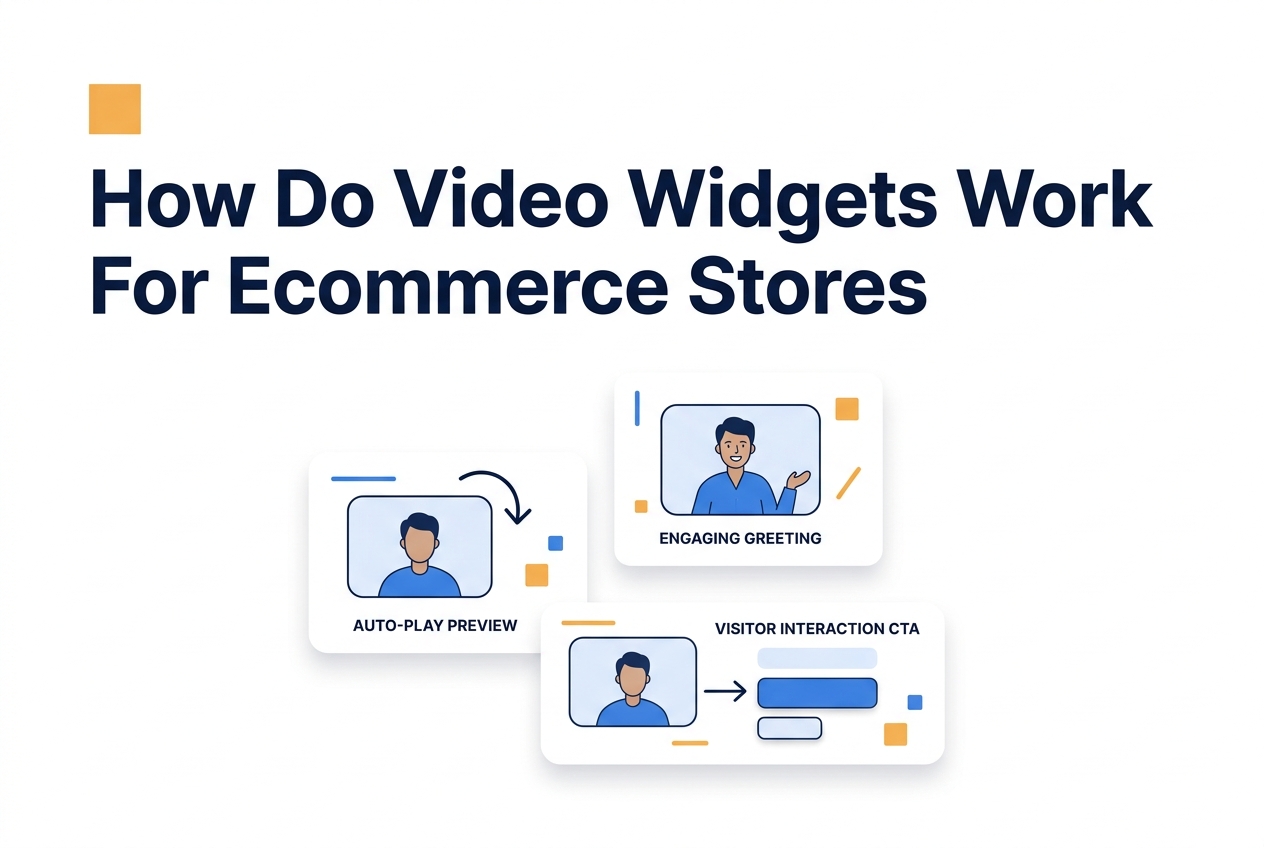
When someone clicks, the video expands and plays with sound. The person on screen introduces themselves, mentions what the store sells, and points the viewer toward a specific action. It works because it interrupts that anonymous browsing pattern with an actual human face, and that’s surprisingly powerful.
Most visitors are expecting chatbots or popups. A video of a real team member? That breaks the pattern entirely.
Where you put it matters a lot, too. On product pages, the greeting should reference the specific category the shopper’s browsing. A sports store might have someone hold up a soccer ball and mention they’re there to help with sizing questions. That kind of specificity makes all the difference.
Over on the checkout page, the same widget can shift gears to address shipping concerns or return policies. The widget detects the page URL and shows different greetings depending on the context, pretty clever, honestly.
Which CTA patterns actually convert
Your call to action inside the video needs to match wherever the shopper is in their buying decision. On category pages, something like “Browse the collection” or “See bestsellers” works way better than aggressive buy buttons. On product pages, try “Ask me about sizing” or “See how this fits”, these invite questions that naturally lead to sales.
Here’s something most teams underestimate: the button below the video player carries a lot more weight than you’d think. It should feel like it’s completing the sentence the person on screen just started.
Recording the greeting takes roughly ten minutes once you’ve got the formula down. Teams that skip the script usually end up rambling. Those who follow a 30 second video greeting structure get better engagement right out of the gate. Best results come from recording in natural light with the phone held at eye level, not looking down at the camera.
One thing almost every store overlooks: the thumbnail frame. The widget shows a still image before the visitor clicks, and if that frame catches you mid blink or with a flat expression, click rates tank. Always set the thumbnail to a frame where the person is smiling and making direct eye contact with the lens. This one small tweak can lift engagement by double digits.
Evaluating Ecommerce Video
Track completed purchases and qualified enquiries separately
Customer website examples
Soccerplay.dk
Sports retailer website example
Merchshark.dk
Merchandise retailer website example
Shopsmukkere.nu
Beauty retailer website example
Website examples, not verified outcome benchmarks. Measure results on your own store.
See the static HTML data above for the full breakdown.
Where should you place video on a ecommerce stores website?
Your biggest wins come from four spots: the homepage, product pages, cart page, and About page, roughly in that order. Each one serves a different psychological purpose, and honestly, skipping any of them is leaving money on the table.
Homepage: The First Impression
Your homepage video needs to load within two seconds and greet visitors before they even start scrolling. This is where you prove there’s a real person behind the store.
Keep it under thirty seconds. The video answered the one question every first time visitor has: who am I actually buying from?
Set the widget to pop up after about three seconds. Any faster and it feels pushy. Any slower and you’ve already missed the window where people are deciding whether to stick around or bounce.
Product Pages: Remove Specific Doubts
On product pages, your video should tackle the exact hesitation that’s keeping someone from clicking “buy.” For a clothing store, that’s usually fit and sizing. For electronics, it’s warranty and returns.
Think of these as direct responses to your most common support tickets. A 30 second video greeting where someone actually holds the product in their hand beats a paragraph of text every single time. Visitors get to see the fabric texture, the scale against a real hand, the packaging quality, stuff photos alone just can’t convey.
Cart and Checkout: Stop Abandonment
Cart abandonment averages around 70% across ecommerce. That’s brutal. But a video bubble on the cart page that says something like “I see you’re checking out, here’s what happens next” can bring that number down.
Why does this work? Because it intercepts the exact moment doubt creeps in. Shipping costs, return anxiety, payment security fears, they all spike right before that final click. Seeing an actual human face at this stage tells the shopper someone’s got their back if anything goes wrong.
On desktop, position the bubble in the bottom left so it doesn’t collide with the cart summary. On mobile, nudge it about 20 pixels higher than the default to clear the cart icon on most Shopify themes.
About Page: The Trust Anchor
If someone clicks through to your About page, they’re already interested. They’re looking for a story that justifies hitting “buy.”
This is where founder videos really shine. Show your workspace, your team, your production process. You’re not trying to sell here, you’re trying to make the visitor feel comfortable enough to go back to the product page and complete the purchase.
One important detail most stores get wrong: don’t autoplay video on the About page. These visitors clicked there on purpose, so let them press play when they’re ready. Forcing the video here feels like a sales pitch, and that’s the opposite of the trust you’re trying to build.
What results have similar businesses measured?
The listed stores show uses of website greetings across different product categories. The available evidence does not substantiate an enquiry-uplift range.
Soccerplay.dk appears among the website examples, and historical enquiries show use of CompleteGreet. They do not establish an enquiry increase or longer sessions.
Merchshark.dk and Shopsmukkere.nu appear among the website examples. Their listing does not establish a measured conversion, enquiry or session-duration increase.
The listed stores have different products and visitor needs. Their presence in the examples does not establish a consistent measured outcome.
Stores that followed a clear video bubble script tended to see results faster, mainly because the greeting answered visitor questions right away instead of being vague. Most ran their measurements for at least 30 days to account for weekly traffic swings.
One thing worth calling out: these stores all counted inquiries as meaningful engagement, not just clicks. That distinction really matters when you’re interpreting your own numbers.
Ecommerce visitors bail on carts all the time because they can’t verify who’s actually running the store, or whether anyone will help if something goes sideways. Video widgets tackle this by putting a human face at the moments that matter most, but where you place them and what you say determines whether the tool builds trust or just gets in the way.
The listed retailers are website examples. The available evidence does not substantiate a four-store before-and-after study or an average uplift.
Where Video Creates Trust
Putting a video on the homepage establishes instant credibility for first time visitors who found you through search or social ads. Product page videos work best when they go after specific objections, sizing, materials, shipping time, rather than giving some generic welcome.
A video presence on the checkout page helps reduce abandonment by confirming there’s real human support available, without needing to staff a live chat. Cart and collection pages tend to see lower video engagement unless the content specifically covers return policies or guarantees.
Measurement Notes
Define contact-form submissions, email enquiries and chat conversations separately. The available examples do not provide the counts and comparison method needed for an average enquiry uplift.
Measure completed purchases as well as engagement. Longer sessions do not establish that video caused a conversion increase.
Technical Considerations
Your video assets need to load within performance budgets, otherwise you risk canceling out trust gains with sluggish page speed.
Implementation should follow Google Web Vitals guidance so the widget doesn’t push your Largest Contentful Paint beyond acceptable thresholds for ecommerce.
Measure completed purchases and qualified enquiries for your own product category. The available examples do not establish a consistent uplift or a bounce-rate reduction.
Check the current plan price, usage allowance and features for your store. Estimate payback from measured additional profit, rather than an assumed conversion lift.
Common questions
How much does CompleteGreet cost per month?
CompleteGreet charges a flat monthly rate based on your unique visitor count, not video minutes watched. So you pay the same whether visitors watch your greeting once or ten times. There are no overage fees and no surprise bills showing up. That kind of predictability really matters when you’re a small business trying to budget your marketing spend.
How long does it take to set up CompleteGreet on a website?
Most people go live in under 15 minutes. You record or upload your video, copy a single embed code, and paste it into your site header. That’s it, the widget shows up right away. No developer needed, no confusing configuration menus to wade through. The whole thing honestly feels about as simple as embedding a YouTube video.
What website platforms work with CompleteGreet?
Shopify, WordPress, Wix, Squarespace, Webflow, WooCommerce, React, Vue, and plain HTML all work. The embed code doesn’t care what platform you’re on, you paste it once and it runs everywhere. No plugins that break during updates. No platform lock in. If you move your site somewhere else, your greeting comes right along with you.
Does CompleteGreet increase conversion rates on service business websites?
It does. Sites using personalized video greetings consistently see higher engagement, visitors stay longer and click more. There’s something about seeing a real human face that builds trust faster than text ever could. Service businesses in particular report more form fills and phone calls after adding a greeting, and the effect tends to show up within just a few weeks.
Is CompleteGreet good for collecting customer feedback?
CompleteGreet is really built for trust building and greetings, so if you need heavy survey workflows, it’s probably not the right fit. It handles simple responses just fine, but complex branching logic isn’t its thing. Think of it as a tool for introductions rather than research, it’s all about that human connection, not data collection.



