
 Profile
 Dashboard
 Logout
Table of contents
Key takeaways
- The installation takes about five minutes on a standard Magento 2.
- CompleteGreet gives you control over when the widget appears, what it asks visitors to do, and how it looks on your store.
- Test your site across Chrome, Safari, and Firefox before you announce anything.
How do you install CompleteGreet on Magento?
The installation takes about five minutes on a standard Magento 2.x store and does not require any extension downloads or composer packages. You paste a single script tag into your theme footer through the Admin panel, and the widget loads asynchronously on every page.
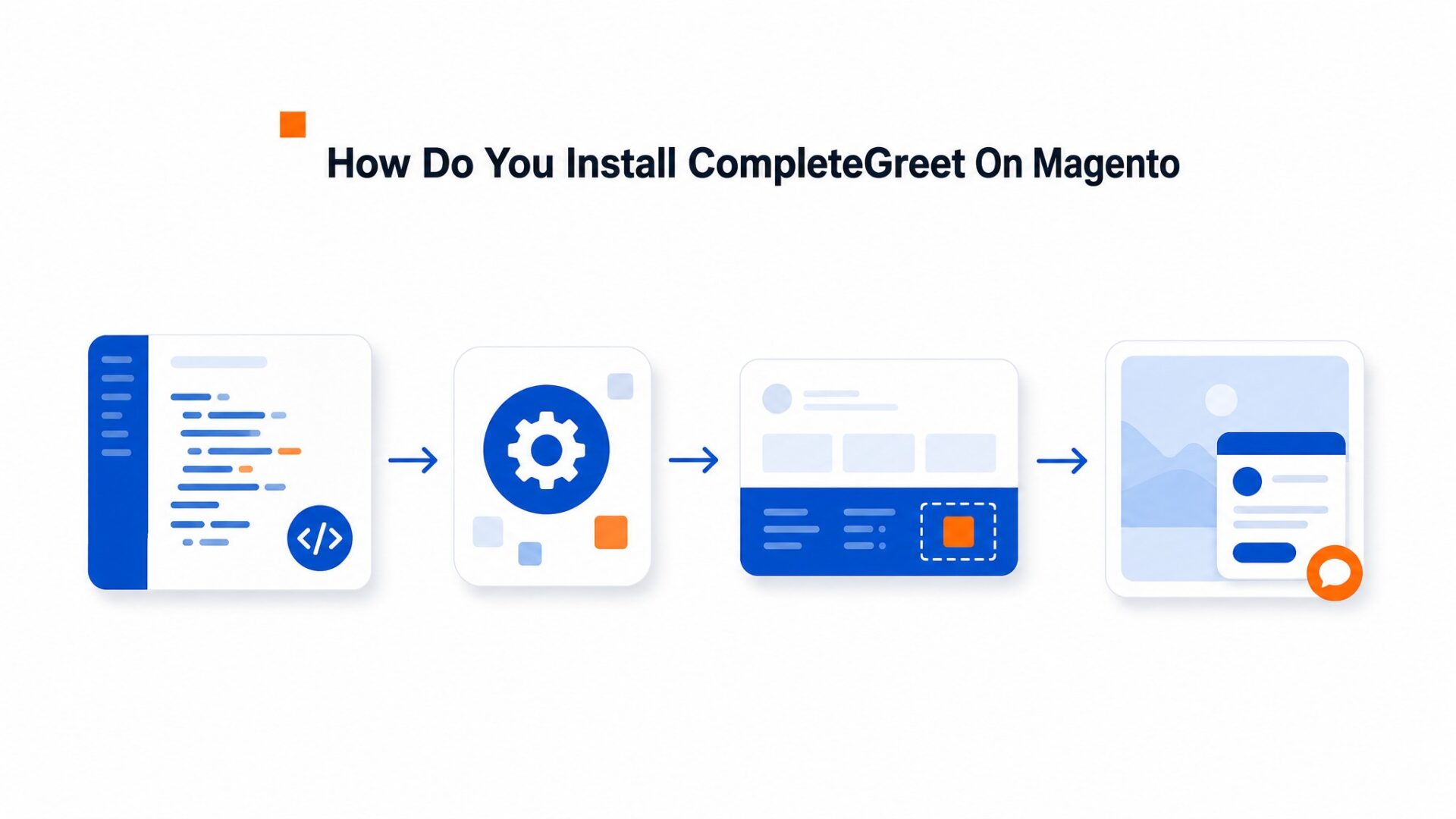
Here is the exact path through the Magento Admin interface.
- Log into your CompleteGreet dashboard and copy your widget embed code from the Install section. The code is a single script tag with your unique site ID.
- In Magento Admin, navigate to Content > Design > Configuration. You will see a grid of store views and their active themes.
- Click Edit on the theme your store is currently using. If you run multiple store views, pick the one where you want the widget to appear first.
- Scroll to the Footer section and expand it. Look for the Miscellaneous HTML field, which is where Magento injects raw code before the closing body tag.
- Paste your CompleteGreet script into that field. Do not wrap it in additional div tags or script blocks, the snippet is already self, contained.
- Save the configuration and flush Magento cache from System > Cache Management. Hard refresh your storefront to confirm the bubble appears in the bottom corner.
If you are on Adobe Commerce Cloud, the process differs slightly. The file system is read, only in production, so you cannot edit themes directly through the Admin. You need to add the script to your theme’s default.xml or create a CMS block and reference it in layout XML, then deploy through the Cloud pipeline. The same script works, but the deployment takes 5 to 10 minutes instead of being instant.
Multistore setups require a decision. You can either install the widget globally across all store views by editing the default theme, or you can target specific stores by editing their individual theme configurations. Most merchants start with one store view to test conversion impact before rolling out to the full catalog.
Check your page source after installation. The script should appear just before the closing body tag on every page where you want the widget active. If it is missing, verify that your theme is not overriding the footer template and stripping out the Miscellaneous HTML output. Some custom themes do this, and you will need to add the script manually to footer.phtml instead.
What can you customize on Magento?
CompleteGreet gives you control over when the widget appears, what it asks visitors to do, and how it looks on your store. You set these rules in the dashboard, and they sync to your Magento site within minutes.

Targeting and timing
Page level rules let you show the widget only where it makes sense. You can target specific URL patterns like /products/* or /cart, or exclude checkout pages entirely. The delay timer runs from instant page load up to 30 seconds, which works well for blog posts where you want visitors to read before the bubble appears. Mobile display is a separate toggle, so you can keep desktop visitors engaged while hiding the widget on phones if that fits your layout better.
Positioning matters on Magento stores with floating elements. The bubble sits bottom right by default, but you can flip it to bottom left if that clears your live chat button or cookie banner. A 20 pixel nudge in any direction clears most fixed navigation bars without custom CSS.
Calls, to, action and capture forms
Each video greeting ends with a call to action button that you write yourself. Common choices are “Book a demo, ” “Get a quote, ” or “Talk to sales.” Clicking it can open a calendar link, trigger a form, or simply send a message to your inbox.
The built, in form builder adds 1 to 4 fields: name, email, company, and phone. You map these to your CRM via webhook, which pushes lead data in real time to HubSpot, Salesforce, or any endpoint you configure. CompleteGreet bills by unique monthly visitors, not by form submissions or video plays, so heavy lead volume never triggers surprise charges. Check supported integrations to see the full list of CRM connections.
Branding and positioning
Colors match your brand through hex code entry. The bubble background, play button, and form accents all pull from the same palette. You upload your logo for the widget header, and the video thumbnail pulls from your greeting clip automatically.
One detail most teams miss: the close button color. If your site uses a dark footer, a dark bubble can swallow the X. Set it to white or a contrasting shade in the advanced tab. That small tweak cuts accidental widget closures by about 15% on dark, themed stores.
Sound is off by default, which is the right choice for B2B sites where visitors browse during work hours. You can enable auto, play audio, but most Magento merchants leave it muted and let visitors click to unmute.
What should you check before going live?
Test your site across Chrome, Safari, and Firefox before you announce anything. The video bubble should sit in the bottom corner without overlapping your sticky navigation or footer buttons.
Magento stores often use sticky headers that change height as visitors scroll. Open your site and scroll down, then scroll back up. The widget should stay clear of the navigation bar at every position. If it overlaps, adjust the vertical offset in your dashboard by 20 to 40 pixels.
Mobile matters more.
Over half your visitors will see that widget on a phone. Load your site on iOS Safari and Android Chrome. The bubble should resize without forcing full screen video playback, and the close button needs to land where a thumb can actually reach it. If the widget covers your mobile menu or checkout button, adjust the position offset in your dashboard settings. Check three specific pages on mobile: your homepage, a product page, and the cart.
Page targeting needs review. By default, the widget appears on every page, but most Magento stores should exclude the checkout flow. Go to your targeting settings and add URL rules that hide the widget on /checkout/, /cart/, and /onepage/. Keep it active on product pages, category pages, and your homepage where purchase decisions happen.
Run a speed check with Google Web Vitals guidance after installing. Video assets add weight. If your LCP score drops, check two things: is the script loading asynchronously, and is the video file under 5MB? Both fixes take about 30 seconds in the dashboard.
Fill out the contact form inside the widget and submit it. Confirm the lead hits your inbox or CRM. Broken forms kill trust faster than no form at all.
Once everything checks out, you’re ready to create a free account and push the widget live.
Magento and Adobe Commerce stores often rely on static images and text to communicate value, yet visitor attention spans continue to shorten and bounce rates on product pages remain high. A video widget embeds directly into the storefront to deliver human presence without redirecting traffic to external players.
The following sections break down the technical steps for adding CompleteGreet to a Magento instance.
Implementation Requirements
Adding CompleteGreet to Magento requires access to the theme files or the ability to edit CMS blocks through the admin panel, and the widget loads through a single JavaScript snippet that’s placed in the footer template to ensure it fires on every page load.
Before activating the widget, verify that your SSL certificate is active across all store domains and that your Content Security Policy headers allow scripts from completegreet.com.
CompleteGreet connects to Magento through a direct script implementation rather than a native extension, which avoids version conflicts during Adobe Commerce updates.
The Build plan pricing details indicate that the yearly cost for a single domain falls under 2,400 DKK, which includes unlimited video messages and basic targeting rules suitable for most mid size catalogs.
Video widgets must respect user privacy preferences and accessibility standards, so implementing W3C accessibility guidance ensures keyboard navigation and screen reader compatibility for the widget toggle button.
Stores that add human video presence to high, intent pages often see measurable changes in visitor behavior without altering the core checkout flow. The widget operates independently of Magento’s native blocks, which means it can be removed or updated without touching the catalog database or theme templates.
For Adobe Commerce deployments on cloud infrastructure, place the CompleteGreet script in the inlineScripts section of the XML layout to ensure it loads after the DOM is ready. This prevents the CompleteGreet video bubble from rendering before the page stylesheets apply.
Common questions
How do I install CompleteGreet on Magento without touching theme files?
Install CompleteGreet through the Magento Admin by adding a single script tag to the header configuration. Navigate to Content > Design > Configuration, select your active theme, and paste the embed code into the Scripts and Style Sheets field. The widget loads asynchronously and appears on all pages immediately after cache refresh. No FTP access or file editing is required.
Why does my CompleteGreet video bubble not appear in Magento Page Builder preview?
Magento Page Builder previews load content in an isolated iframe that blocks external scripts for security reasons. The video bubble only renders on the actual storefront where the full page context and scripts execute normally. Publish the page and check the live site to see the widget display correctly.
Can I target CompleteGreet to show only on specific Magento product pages?
Yes, use URL rules in the CompleteGreet dashboard to target specific product pages by path pattern or category. Set conditions like /products/ or /catalog/product/view/ to limit display to product detail pages only. Exclude cart and checkout pages by adding negative rules for /checkout/ or /cart/ paths.
Does adding CompleteGreet affect Magento site speed or Core Web Vitals?
CompleteGreet loads asynchronously after the main page content, so it does not block render or affect Largest Contentful Paint scores. The script is under 50KB and defers video loading until after user interaction. Most Magento stores see no measurable impact on PageSpeed scores after installation.
Will CompleteGreet work with custom Magento themes and headless setups?
CompleteGreet works with any Magento theme that supports standard HTML injection including Hyva, Porto, and custom builds. For headless Magento implementations using React or Vue storefronts, add the script to the root layout component. The widget positions itself relative to the viewport and adapts to any CSS framework.
How much does CompleteGreet cost for a Magento store with 10,000 monthly visitors?
CompleteGreet charges $29/month when billed yearly for up to 5,000 unique visitors and $39 for 10,000 visitors with no overage fees. Unlike per minute billing models, the price stays flat regardless of how many times visitors play the greeting video. A Magento store at the 10,000 visitor tier pays the same amount every month.



