
 Profile
 Dashboard
 Logout
Table of contents
What to know
- Buying an online course usually means paying before you can view the full lessons or judge the teaching style.
- A video widget is a small card that sits in the corner of a page and opens a short recorded greeting when clicked.
- Consider video on pages where visitors have a clear decision or question, such as pricing, checkout, and onboarding.
Why do online course and education platform websites struggle with trust?
Buying an online course usually means paying before you can view the full lessons or judge the teaching style. There is no physical product to inspect and no in store demo. That can make the decision harder.
Online shoppers can compare photos, specifications, and reviews. Course buyers also have to judge whether the instructor knows the subject, whether the lessons are current, and whether the platform will deliver. Many sites answer those doubts with a logo wall, a syllabus PDF, and a stock photo of someone smiling at a laptop.
Nielsen Norman Group’s video usability research recommends giving users control over playback, explaining what the video contains, and keeping it concise. That supports an optional, clearly labeled instructor clip instead of forced autoplay.
Course buyers are buying more than content. They are buying weeks of guidance from someone they may not know. A text bio can list credentials, while a short clip also shows how the instructor speaks and explains an idea.
Three patterns break course page trust
One pattern is the hidden instructor. The sales page sells the outcome, but the person teaching it appears nowhere above the fold. A second is the faceless checkout: a clean payment form with no human presence. A third is silence, where nothing on the page explains what happens after purchase, who answers questions, or what the refund policy covers.
These gaps can contribute to abandoned checkouts or exits from pricing pages, but check your analytics before assuming that trust is the cause.
The instructor may already have a suitable clip from a welcome video or lesson introduction. Reusing it in a bubble on the sales page can be quicker than filming from scratch. It also lets buyers see the teaching style before they pay, which can prevent a mismatched purchase.
More testimonials or a bigger discount may not answer the central question: who teaches the course, and what are they like on camera? A short instructor clip answers that directly.
How do video widgets work for online course and education platforms?
A video widget is a small card that sits in the corner of a page and opens a short recorded greeting when clicked. On a course platform, that greeting can show who teaches the course and what the lesson format feels like without adding another long block of copy.
You can use the widget differently depending on the page. A marketing page might show a 30 second introduction from the lead instructor with an action button for enrollment or a free preview lesson.
On pages used by returning students, the goal shifts from convincing to helping. A separate bubble can answer a common question or point people to the course dashboard instead of trying to sell again.
Leaving the same sales bubble on every page, including active lesson pages, can turn an enrollment tool into a distraction.
Use URL targeting to show the prospect bubble only on marketing pages and keep it off the actual lessons. Students who are logged in and mid course usually do not need a sales pitch over the video they are trying to finish.
The CTA patterns that fit education
A useful education CTA names the exact next step. Replace a vague label such as Learn More with the action the visitor will actually take.
Three practical patterns cover many course sites. Book a free consultation fits a course where a live call helps decide fit. Watch a free preview lesson suits a self paced course. Join the waitlist fits a cohort that opens on a fixed schedule.
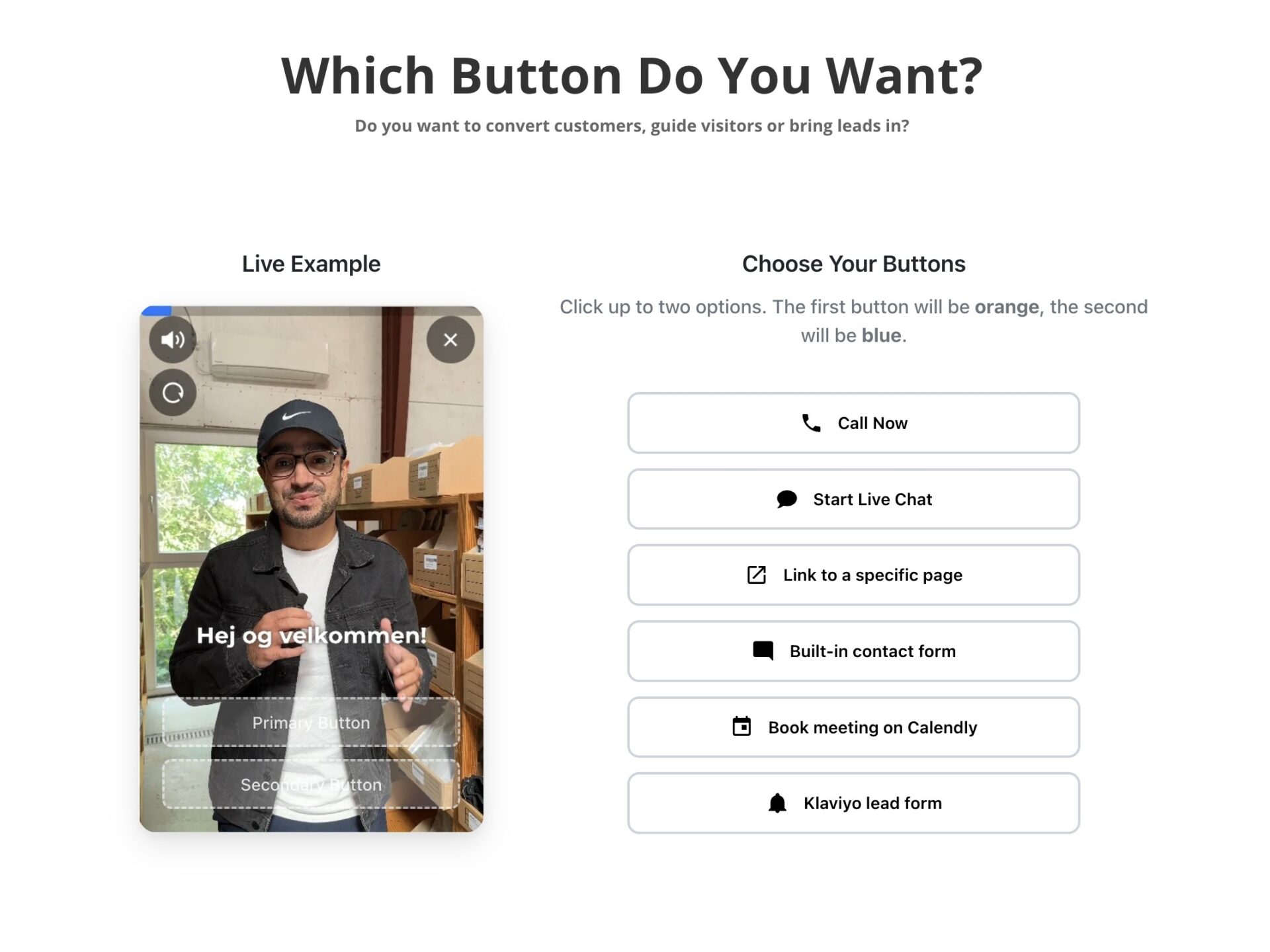
CompleteGreet can place action buttons inside the widget. Some actions open a form or chat, while links and booking actions can take the visitor to the selected next step. A clear close button also keeps the visitor in control.
Use separate messages for sales and student help when they belong on different URLs. CompleteGreet’s page targeting lets you assign bubbles to specific pages.
CompleteGreet BUILD is $29 per month when billed yearly, or $36 month to month, for 5,000 unique visitors per month, 1 website, and 2 bubbles or videos. That is enough for two separate messages if the setup fits your pages.
Where should you place video on an online course or education platform website?
Start with pages where a visitor has to make a decision: pricing, the course catalog, checkout, and onboarding. A homepage bubble can introduce the instructor, while these pages let you answer a more specific question.
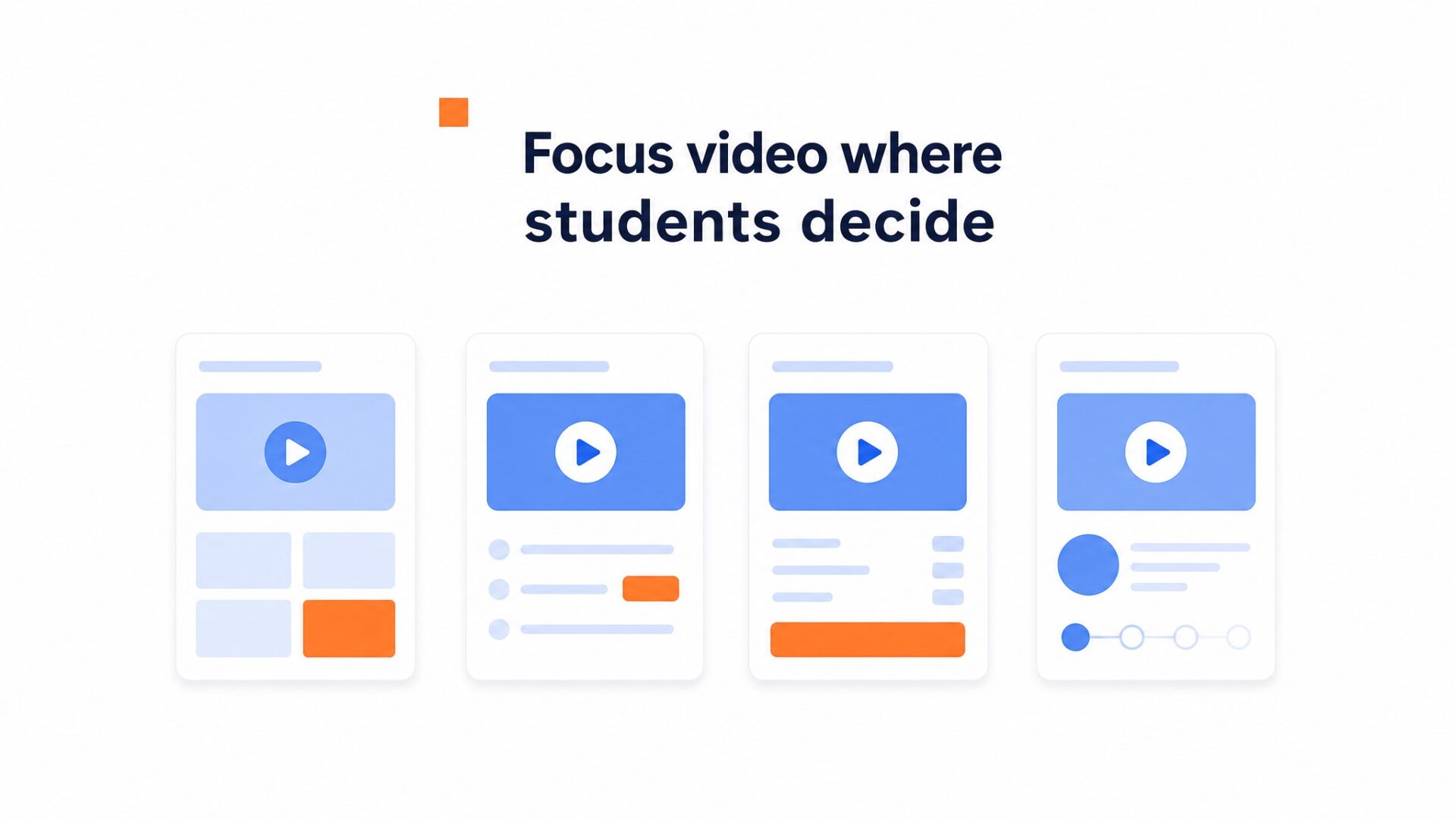
Pricing and course pages
Pricing is a common place for hesitation. A short video from the instructor can explain what each tier includes and who it is for. Start with 30 to 60 seconds and cut anything that does not help the decision.
Keep it short because visitors are there to compare options, not watch a long lesson.
Catalog pages can create a different problem: too many choices. A student may see dozens of course tiles without knowing which one fits their level. A short instructor video on each course page can add something a syllabus cannot show, the person’s teaching style.
Checkout
Checkout is where doubt can return. A small bubble with one useful reassurance, such as the instructor explaining the refund policy, can answer a concern without adding another long block of copy.
Measure that placement separately so you can see whether people open the video and use its action button.
Onboarding and the student dashboard
Placement is not just about selling. After purchase, a welcome video can help students find the first lesson or the next step. Consider putting a helper bubble on the first dashboard view rather than across every module.
It can answer “where do I begin” before the student needs to contact support.
What to avoid
Do not put the same video on every page. Education sites carry many long form pages, and a repeated sales message can become distracting. CompleteGreet lets you show bubbles on specific URLs, so the widget can appear on pricing, checkout, or onboarding pages without touching the blog archive or privacy policy.
Keep added media light and measure the page before and after installation. web.dev guidance on Core Web Vitals recommends checking loading, interactivity, and visual stability through LCP, INP, and CLS.
A homepage bubble is a sensible place to start, but it should not be the only placement you test.
What results have similar businesses measured?
CompleteGreet’s current case page lists results from six businesses across ecommerce, a hair salon, and an information platform. These are not course platform case studies, so treat them as cross industry examples rather than an education benchmark.
Reported customer engagement increases are 48% for Soccerplay, 70% for Merchshark, 44% for Find din PPO, 43% for Shopsmukkere, and 70% for Greengoing. Frisør Sadon reports 42% more calls and bookings.
The same page reports time on site increases of 26% for Soccerplay, 33% for Frisør Sadon, 28% for Find din PPO, and 21% for Greengoing. Merchshark reports a 17% conversion rate increase, while Shopsmukkere reports a 19% conversion lift.
What these results can and cannot tell you
The cases show reported improvements across several business types. They do not prove that an online course site will get the same percentages.
For a course platform, measure marketing and enrollment pages separately from logged in student pages. That will show whether the video helps with enrollment, student support, or both.
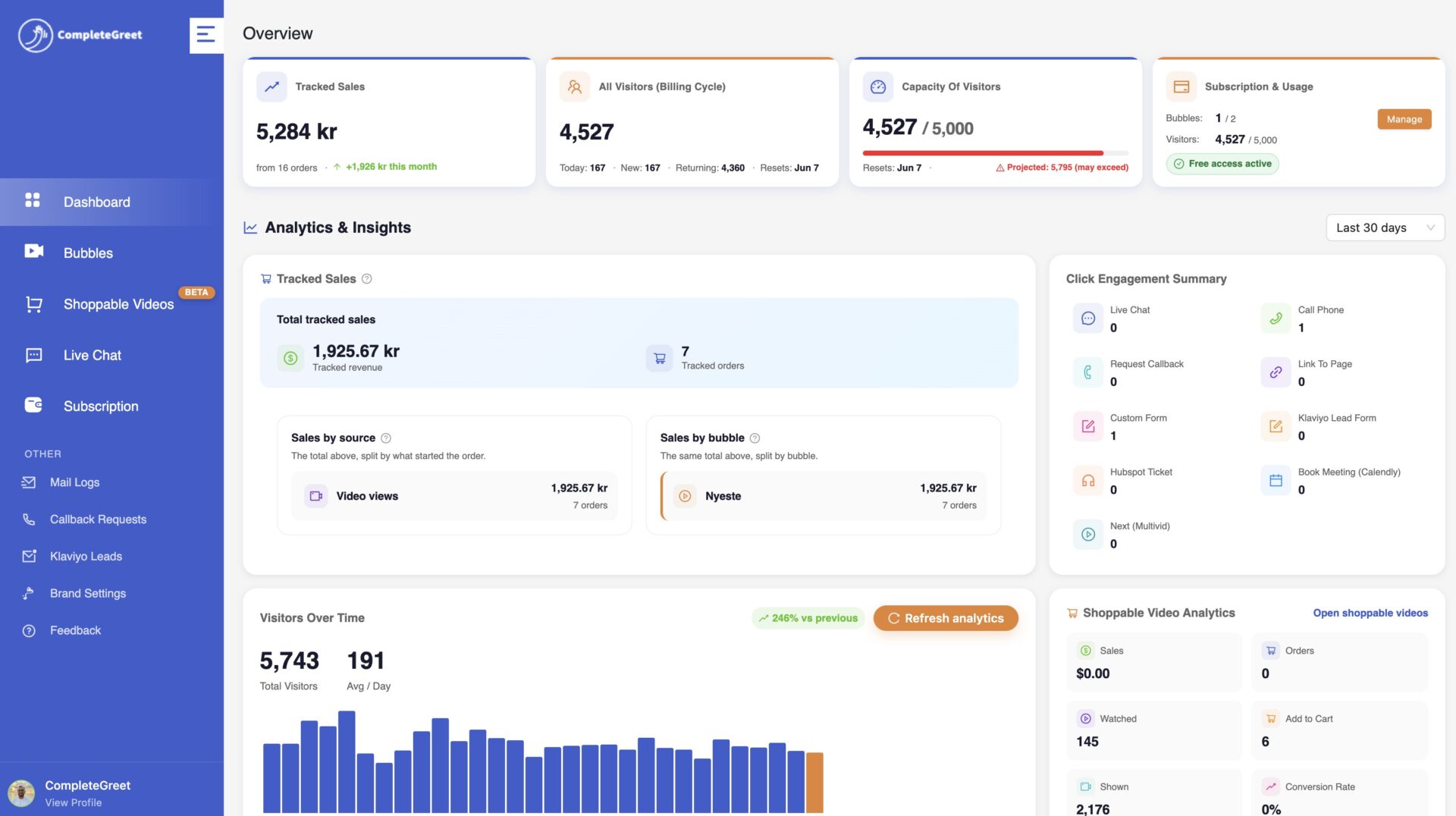
How to measure your own results
The CompleteGreet analytics view covers video views, opens, actions, chats, forms, bookings, and tracked conversions. Use those numbers to compare pages and messages instead of relying on play count alone.
Set a baseline before you publish the widget. Capture inquiry volume and average session time for 2 to 3 weeks, then compare the same window after launch. Seasonal changes can distort the comparison, so note any campaign or enrollment deadline that affects traffic.
Watch the click through rate on the video action button, not just the play count. A completed view shows attention, while an action click shows whether the visitor took the next step.
Also compare traffic sources. If organic visitors watch the video while ad traffic leaves quickly, there may be a mismatch between the ad message, the landing page, and the video.
Accessibility and privacy basics
Plan for viewers who cannot hear or see every part of the video. W3C accessibility guidance explains when captions, transcripts, and audio descriptions are needed.
If you track viewing behavior, follow the consent and privacy rules that apply to your audience, especially when minors may use the platform. Keep tracking limited to what you need and explain what is collected.
Common questions
Can I add a video widget to my Teachable school, or does it only work on Shopify and WordPress?
Teachable documents site code snippets for third party widgets, Custom HTML blocks on pages, and Custom Code blocks in lessons. CompleteGreet also offers a Shopify app, a WordPress and WooCommerce plugin, and a lightweight embed for other platforms. Use the installation option your course platform and plan support, while the LMS continues to handle lessons, enrollments, and payments.
How long should the welcome video be on a course sales page so visitors actually watch it?
Start with 30 to 60 seconds. Cover who you are, what the course helps with, and the next step. If the topic needs more time, link to a full preview lesson instead of turning the greeting into a long walkthrough.
Will adding a video widget slow down my course website or hurt my page speed score?
CompleteGreet offers a lightweight embed for platforms without a dedicated app or plugin. Any third party widget can affect a page, so measure LCP, INP, and CLS before and after installation instead of assuming the score will stay the same.
What does CompleteGreet cost for a course site getting a few thousand visitors a month?
CompleteGreet BUILD is $29 per month when billed yearly, or $36 month to month, for 5,000 unique visitors per month, 1 website, and 2 bubbles or videos. The current pricing page says visits are counted per unique IP within 24 hours. There is no overage charge, but the bubble is hidden until the next billing period if the limit is exceeded.
Can I use a video widget to host my actual course lessons, or is it only for greetings?
Short greetings and full lessons are different jobs. CompleteGreet is built for trust and greetings, not for hosting the curriculum, so the actual lessons stay in the LMS where students already log in. That split keeps the widget unobtrusive and the course platform doing what it was built for.
What results have businesses measured after adding a video greeting?
CompleteGreet’s current case page reports customer engagement increases from 43% to 70% across five named businesses, 42% more calls and bookings for a hair salon, and time on site increases from 21% to 33% across four cases. It also reports a 17% conversion rate increase for Merchshark and a 19% conversion lift for Shopsmukkere. These are cross industry examples, not a course platform benchmark or a guarantee.
Do I need professional video equipment for a course greeting, or is a phone camera fine?
A phone camera, clear sound, and decent lighting can be enough for a course greeting. Record in a quiet room, face a window, and keep the script focused on what the course covers and who it is for.



