Profile
 Dashboard
 Logout
Table of contents
Key takeaways
- HVAC websites ask visitors to trust a company with their home, a repair they may not understand, and a bill they cannot judge in advance.
- Match the video’s next step to the service page.
- Put the video widget on service, emergency repair, replacement, and seasonal maintenance pages.
Why do HVAC company websites struggle with trust?
HVAC websites ask visitors to trust a company with their home, a repair they may not understand, and a bill they cannot judge in advance. A stock photo won’t settle that concern. Visitors need to know whether the company can handle the problem and how soon someone can respond.
Urgency makes the gap obvious.
Someone looking for emergency repair, replacement advice, or seasonal maintenance needs a clear next step. A generic contact form rarely explains what happens after it’s submitted. A video greeting can put a face and a plain spoken explanation beside the next step, while keeping phone, text, and online booking available.
A widget should let visitors choose how to reach the company, not push everyone toward video or a booking form.
Answer the practical questions on the page: which jobs the company handles, what details to have ready, and whether to call or book online. A clear answer beats another badge or broad promise.
How do video widgets work for HVAC companies?
Match the video’s next step to the service page. On an emergency repair page, use a call button; on a maintenance page, offer online booking or text. Visitors shouldn’t have to hunt for the right contact option.

Keep each video focused on one job. A dispatcher can explain what information helps estimate an urgent repair. A technician can describe what a seasonal tune up includes. Then make the matching action obvious instead of routing every visitor through a generic contact form.
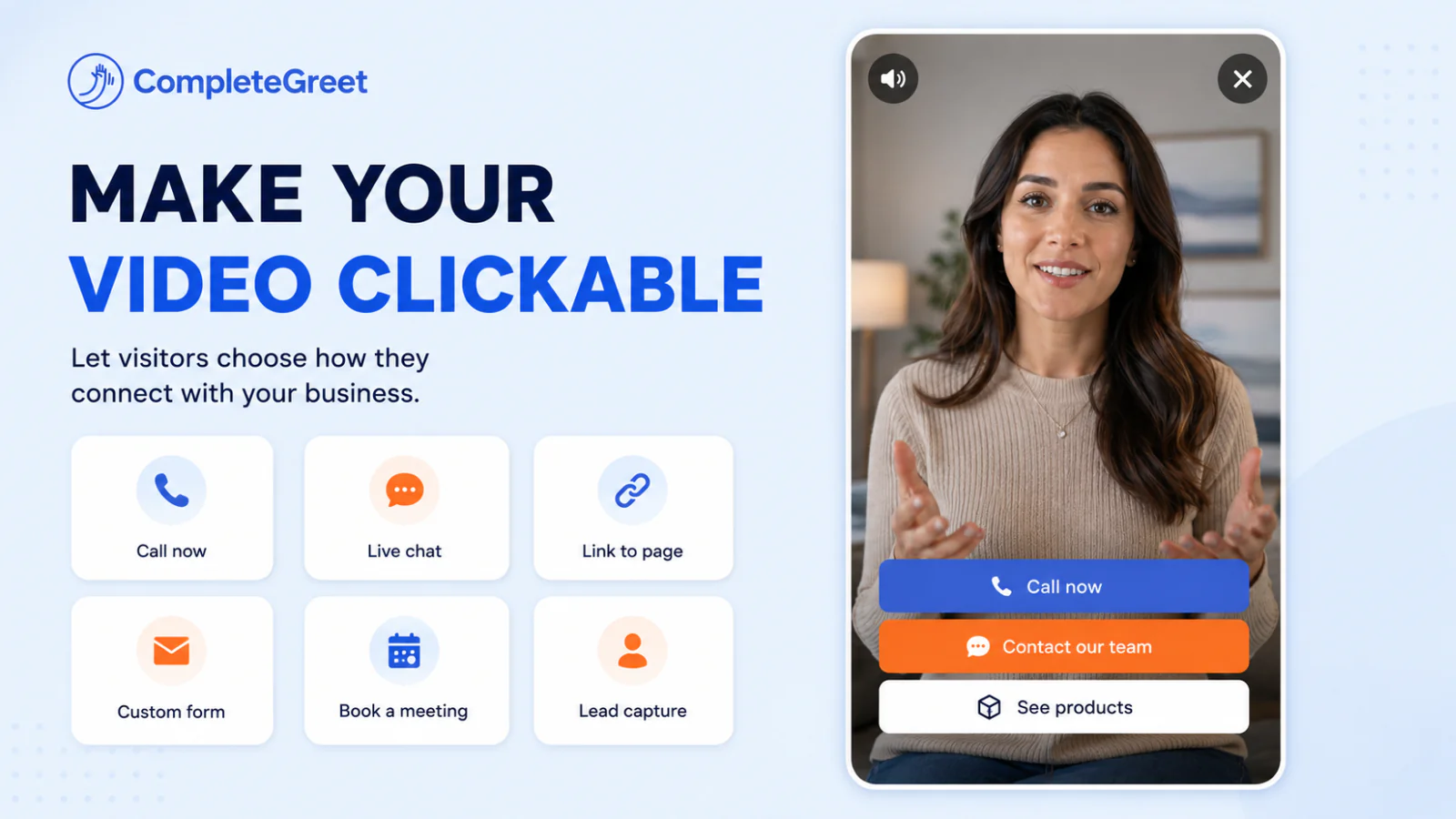
Keep the phone option visible. The video adds an explanation; it shouldn’t replace the contact method a homeowner already prefers.
Test the action buttons on a phone with the bubble open. If the call button sits below the screen edge, a visitor can watch the greeting and still leave without booking.
Where should you place video on an HVAC company website?
Put the video widget on service, emergency repair, replacement, and seasonal maintenance pages. Visitors on those pages are weighing a specific job. A homepage greeting can introduce the company, but it won’t answer a question about a broken furnace or a new heat pump.

Emergency repair visitors may need a technician now. Put a tap to call or text beside the video, not behind another menu.
Replacement pages can explain the estimate process, equipment options, and what happens during installation. On maintenance pages, explain what a tune up covers and link to online booking. The questions differ by page, so one generic greeting often feels out of place.
Set the widget to appear only on relevant page URLs, not sitewide. CompleteGreet supports showing bubbles on specific URLs, so a service page can use a repair greeting while a replacement page uses another one. Check the mobile view after publishing. A bubble placed over the sticky phone button can block the call it’s meant to prompt.
How should HVAC companies measure results?
CompleteGreet’s customer examples show how businesses use video greetings, but they do not establish a typical increase in inquiries or time on site.
Measure completed service bookings on your own website rather than assuming a video widget will produce a particular lift.
Keep inquiries, booked jobs, and conversion rate in separate columns when reviewing results. They measure different outcomes. More inquiries do not automatically mean more service calls were booked.
Compare the same pages over equivalent time periods. Note changes to page content and booking options alongside the widget. The customer examples show video greetings in use, rather than measured booking increases.
Track widget activity alongside the website’s existing lead channels. These measures can help HVAC teams assess whether a video widget contributes to booked service calls.
A useful baseline is the booking rate: completed service bookings divided by unique visitors to the relevant service pages, multiplied by 100. In a hypothetical example, 200 visitors and 4 to 10 bookings equals a 2% to 5% booking rate. This illustrates the calculation, not a guaranteed widget result.
Count calls, texts, online bookings, and captured leads separately. Compare totals with the widget enabled and disabled across similar periods. Note seasonal demand and changes to offers or traffic sources, since these can affect results.
Record the source of each inquiry.
Review the figures weekly and compare like for like service pages, such as emergency repair with emergency repair. A 30 day comparison gives the team a consistent window to check whether the widget is contributing to booked calls.
Common questions
Should an HVAC video widget replace phone and text options on a service website?
An HVAC video widget should add a human option, not replace the phone, text, or online booking. Give visitors clear choices such as call now, request a text, or schedule service.
Which HVAC website pages should have a video widget?
Put the widget on service, emergency repair, replacement, and seasonal maintenance pages, where visitors are considering a specific job. Match the next step to the page: emergency repair pages can offer click to call, while maintenance pages can point to real time scheduling or a service request. A generic greeting is less useful.
How much can an HVAC video widget improve service calls or inquiries?
There is no verified typical increase in HVAC service calls or inquiries to quote. Track inquiries and completed bookings separately, and compare similar periods while noting seasonal demand and other website changes.
How much does CompleteGreet cost for an HVAC company website?
CompleteGreet BUILD is $29 per month when billed yearly, or $36 month to month, for 5,000 unique visitors per month, 1 website, and 2 bubbles or videos. The plan includes a 30 day free trial with no credit card required. Billing is based on unique visitors per month, not the number of times a video plays.
What should an HVAC video greeting say to turn website visitors into service calls?
Name the service the page covers, tell visitors what to do next, and offer a contact choice that fits their needs. On an emergency repair page, make calling easy; on a maintenance page, include scheduling or a service request. Keep the greeting brief enough that visitors can reach the contact option without watching a long introduction.