Profile
 Dashboard
 Logout
Table of contents
Key takeaways
- CompleteGreet’s published cases show customer engagement from 43% to 70% across five businesses, plus separate conversion, time on site, and booking results.
- Salesforce reported that more than 80% of Cyber Week ecommerce traffic came from mobile devices in 2024.
- Record a short, clear message first, then choose the format, placement, and page rules.
What does the data show about shoppable video strategy for Black Friday and Cyber Monday?
CompleteGreet’s published cases show customer engagement from 43% to 70% across five businesses. These are general customer results, not Black Friday specific tests. They show why video is worth testing before holiday traffic arrives, but they do not guarantee the same result for every store.

Time on site rose between 21% and 33% across four separate CompleteGreet cases. During Black Friday and Cyber Monday, a short product video can give comparison shoppers useful context without making them leave the page.
One ecommerce case reports a 17% conversion rate increase, another reports a 19% conversion lift, and a local business reports 42% more calls or bookings.
The public cases page does not identify these as holiday tests or as one controlled study, so use them as examples rather than a Black Friday forecast.
Where the lift actually shows up
Mobile is the bigger story. Salesforce reported that 79% of 2023 Cyber Week ecommerce traffic came from mobile phones. In 2024, more than 80% came from mobile devices. Vertical framing, large tap targets, and product details that stay close to the video deserve priority over a desktop only hero shot.
A wide desktop video can become a narrow strip on a phone. Test the crop, captions, buttons, and product card on a real mobile screen before the campaign starts.
CompleteGreet supports product pages, collection pages, inline carousels, corner bubbles, and popups. Choose the format that keeps the video close to the decision it should support.
Pricing matters during a traffic spike. CompleteGreet plans use monthly unique visitor limits rather than a separate charge for each video play. Repeat views do not add a play fee, but new visitors count toward the plan limit. If the limit is reached, the bubble is hidden until the next billing period.
Put the video where a specific question comes up, then compare clicks, carts, and purchases before the holiday traffic arrives.
Why does shoppable video strategy for Black Friday and Cyber Monday matter for your bottom line?
The practical goal is to answer a product question before it becomes checkout hesitation. CompleteGreet’s published cases report different outcomes across different businesses, including engagement, time on site, conversion, and calls or bookings.

Holiday traffic can arrive quickly. Test the message and placement before the campaign starts, so the first busy day is not also the first real test.
The published 17% conversion result and 42% increase in calls or bookings came from different CompleteGreet cases. Neither is presented as a Black Friday checkout result, so use them as examples, not a sales forecast.
Video can support the product page in two practical ways.
It can answer questions about sizing, shipping, or returns without sending the shopper to another page.
It can also show the product in use, which gives the shopper context that a discount banner cannot provide on its own.
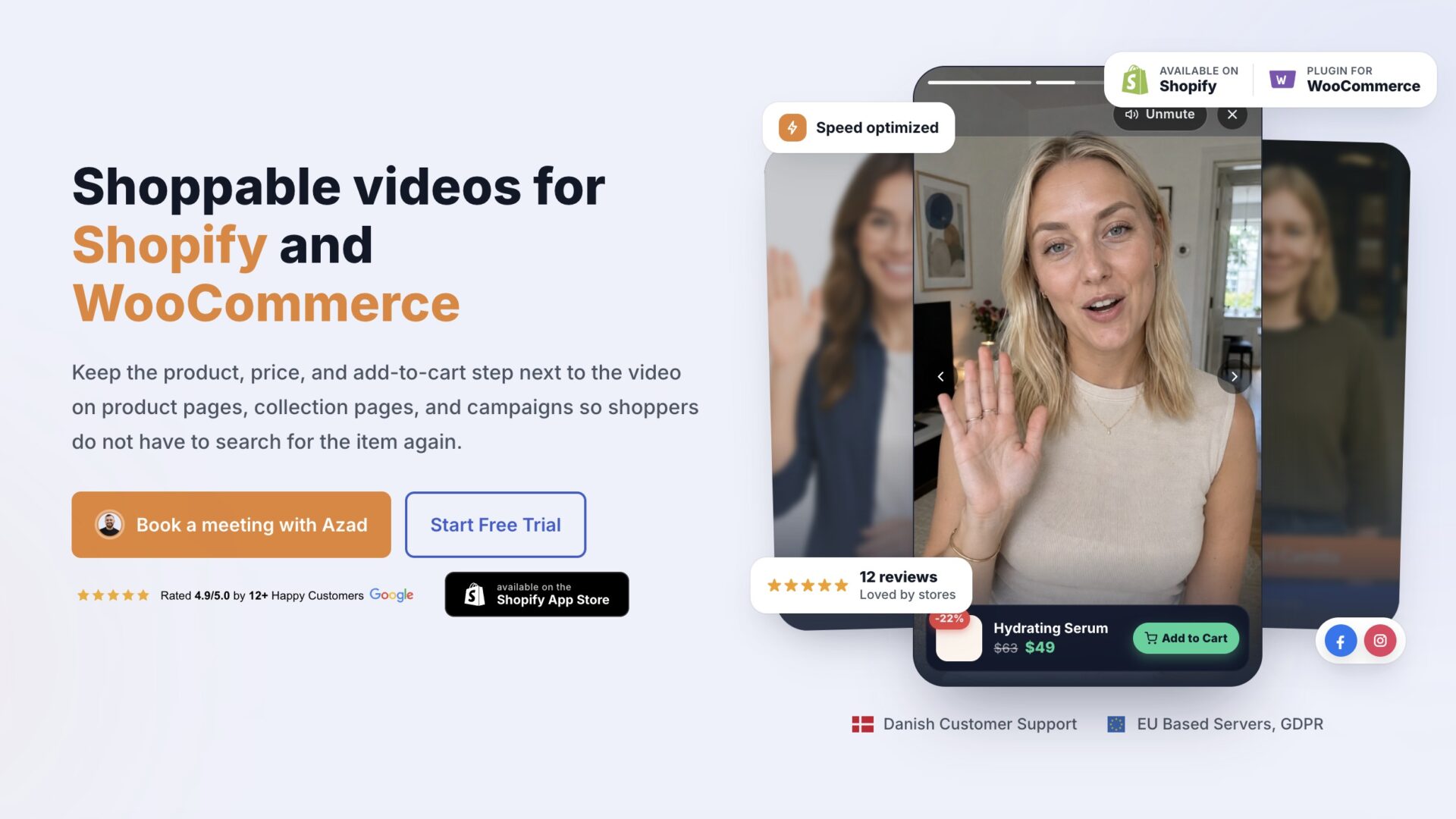
During a sale, a short product demonstration can add context around the offer without requiring a full page redesign.
Treat Black Friday as both an offer and a trust problem. The discount gets attention, while clear product information helps shoppers decide.
That is the frame to carry into setup. Shoppable videos keep the product and the person in the same frame, so a first time visitor gets more context on the sale page.
How to set up your first video greeting
Record the message first. Keep it specific to the page, product, or offer, then choose the format and placement in the dashboard.

Start with a greeting under 60 seconds. Open with your first name and the page the visitor is on, then offer one concrete next step: view the product, add it to the cart, or start a chat. One clear call to action gives the viewer an easy choice.
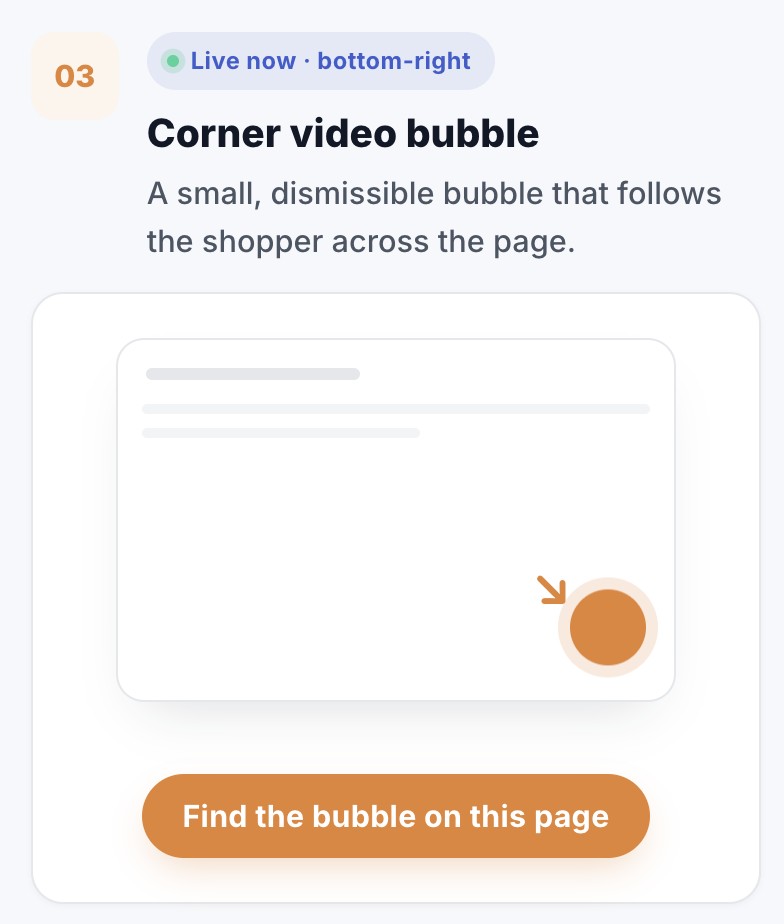
Upload the file and let the widget compress it. Then pick the bottom corner placement and set an offset so the bubble clears your nav bar and any checkout button. On mobile the same offset keeps the close button within thumb reach.
Most teams skip the message and go straight to design. Don’t. Rewrite the greeting out loud until it sounds like how you actually talk to a customer, because a stiff script reads as fake the moment it plays.
Choose the pages that fit the message. A corner bubble can remain available while shoppers browse, while a popup can appear once per visit or on a chosen trigger.
Open the dashboard analytics and compare views, clicks, carts, and purchases for each video. If views are high but clicks are low, test a clearer message or call to action. If clicks rise but purchases do not, review the offer and the next step.
CompleteGreet’s published cases report customer engagement from 43% to 70% across five businesses and time on site increases from 21% to 33% across four. The public case page does not attribute those results to video length or one specific format.
CompleteGreet plans count unique visitors rather than individual video plays. Repeat plays do not add a separate fee, but each new visitor counts toward the monthly plan limit.
The shoppable video use cases page shows which placements and formats fit which goals.
Black Friday and Cyber Monday create a short window where every visit matters. Shoppable video turns that visit into an interaction with a real person on the other side.
The figures below come from CompleteGreet’s general customer cases, not from a 2024 holiday study. The public cases page does not say that every business used the same format or placement.
What the numbers say
Customer engagement ranges from 43 percent to 70 percent across five published cases. Time on site increases range from 21 percent to 33 percent across four separate cases.
One ecommerce case reports a 17 percent conversion rate increase, another reports a 19 percent conversion lift, and a local business reports 42 percent more calls or bookings.
These are separate customer results. They should not be read as one controlled test or as a guaranteed Black Friday outcome.
Where to place the video
Start on a product page near the information the video explains. CompleteGreet also supports collection pages, inline carousels, corner bubbles, and popups, so the placement can match the message.
Keep the video under 60 seconds and mention the Black Friday offer in the first 10 seconds. Shoppers decide quickly whether to keep watching.
Page speed stays important. Follow the Google Web Vitals guidance and test the live page on mobile after adding the video.
Measure each format on your own store. CompleteGreet tracks clicks, carts, and purchases by video, which lets you compare placements without assuming the case results will repeat.
CompleteGreet’s BUILD plan costs $29 per month when billed yearly or $36 month to month. It includes 5,000 unique visitors per month, one website, and two bubbles or videos.
Common questions
What does the data show about shoppable video conversion rates for Black Friday and Cyber Monday?
CompleteGreet’s published cases show customer engagement from 43% to 70% across five businesses. Separate cases report a 17% conversion rate increase, a 19% conversion lift, and 42% more calls or bookings. These are general customer cases, not Black Friday specific benchmarks.
How long should a Black Friday shoppable video be?
Use 60 seconds as a starting limit, then test a shorter version. Name the product, show it in use, and state the offer early. Two or three short sentences are often enough for a focused holiday message.
Will a video widget slow down the store during peak holiday traffic?
Any added media can affect performance if it is loaded poorly. CompleteGreet says its script waits until the page has loaded and that videos are compressed on upload. Check the live page against Google’s Core Web Vitals targets after installation instead of assuming the score will stay unchanged.
Where should the video sit on a product page?
Start near the buy button or main product image when the video answers a product question. Test that placement on mobile and make sure it does not cover product controls. One clear placement per page is a sensible first test.
Does shoppable video work on mobile during Black Friday?
Salesforce reported that more than 80% of 2024 Cyber Week ecommerce traffic came from mobile devices. Use a vertical or square format, keep buttons easy to tap, and test the full path from video to cart on a phone.
What does a video widget cost to test for Black Friday?
CompleteGreet BUILD is $29 per month when billed yearly, or $36 month to month, for 5,000 unique visitors per month, one website, and two bubbles or videos. Repeat views do not create a separate play charge. New visitors count toward the limit, and the bubble is hidden until the next billing period if the limit is reached.
Can the same video be reused after Black Friday?
Yes. Keep the product demonstration and replace the Black Friday offer line when the sale ends. CompleteGreet does not charge separately for each replay, although unique visitors still count toward the monthly plan limit.